Le processus d'écriture et d'exécution du code du programme est presque toujours associé à la nécessité de rechercher et de corriger les bogues. Et en général, le processus de débogage des applications semble simple:

Mais le diable est dans les détails. Nous sommes donc passés d'un domaine à un autre ou avons changé la pile, et là nos propres fonctionnalités de débogage sont apparues. Dans cet article, je parlerai du débogage dans le contexte du frontend en utilisant l'exemple de débogage des applications client JS. J'espère que cela sera utile pour les développeurs JS novices, et les plus expérimentés aideront à m'assurer que je n'ai rien manqué d'important.
Je m'appelle Artyom, je travaille en tant que développeur front-end chez FunBox. Nous fabriquons des produits pour les opérateurs mobiles: divers portails, géo-services, paiements, publicité mobile et bien plus encore. Il est possible que vous utilisiez nos produits tous les jours ou non - j'ai ici une NDA. Au sein de l'entreprise, nous croyons qu'une forte culture d'ingénierie fait partie intégrante de bons produits. Et un élément important de cette culture est de pouvoir écrire tout ce qui est important et potentiellement utile aux collègues. J'ai publié cet article dans une base de connaissances interne pour les autres développeurs frontaux qui maîtrisent juste les bases de la création d'applications client JS complexes et riches en code. J'espère que cela vous sera également utile.
Pratiques courantes
, . . .
. , . — , . Sentry.
/ . , - , .
Usr A: ! ,
"Cannot read property xxx of yyy"
. - , ?
Usr B: ! ,config/build-config.js
enableRandomErrors: true
. .
Runtime-. , , console.log
. , console.log
— , . , console.trace
, console.assert
, console.count
, console.time
.
. (). IDE , .
(« »). , . : , , , . git bisect
, , .
:
— , . ,
.toLowercase()
.toLowerCase()
«»
( ).
— / . , .
— . . JavaScript, , , .
— -
=
==
. , , , , .
JS-, . , .
« - , », . . , , , error
. , .
, . , . SyntaxError
TypeError
, - :
Uncaught TypeError: Cannot read property 'x' of undefined
Uncaught SyntaxError: expected expression, got ';'
. , , , , , : , . , . ( , , ) — , .
DevTools
JS- , (DevTools). , - . , . -, DevTools (Chrome, Firefox Safari) . Chrome, Safari, .
HTML, CSS JavaScript — « » -, JS SPA-. , . React, JS- Webpack, , , Hot Module Reload. .
. Inspect (« » ).
:
Windows Linux —
Ctrl+Shift+I
F12.
macOS —
Cmd+Opt+I
. , Safari . — Enable Web Inspector.
JavaScript- Console, Sources Network. , , . , Components Profiler React Developer Tools.
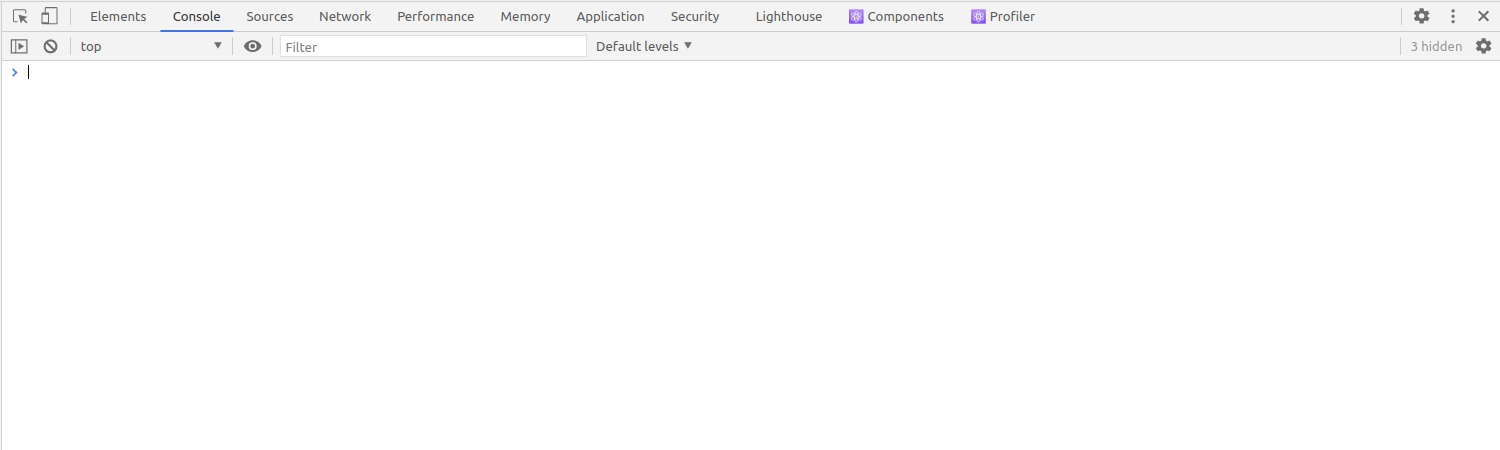
Console
:
: , , .
JS-, REPL.
, . :

, : , webpack-dev-server
hot-module-replacement
, API ( ), . . Default levels . , :

Sources
Sources , . Firefox Safari Debugger. (, , ), . , , , Webpack, .
— Sources Chrome 86. , . — , — JS-. webpack-dev-server
http://localhost:8080:

, app.js
, JS-. — (Webpack), HTML-. - , , Webpack . , .
Sources webpack://
. (sourcemaps, ) , IDE .

, , main.jsx,
app.js
. main.jsx
, as is. , , webpack://
, Webpack , .
, . Ctrl+O
(Ctrl+P
) Chrome / Firefox Cmd+Shift+O
Safari. , .
Network
- , . : (JS-, CSS-), backend- REST API. Network , .

Network — , . . . , : , , HTTP- , MIME- .
, Name, : . .

- , , Network. , , ( ). , XHR-:

, , . Filter, . , domain:yourdomain.com
:

Filter Google Chrome https://developers.google.com/web/tools/chrome-devtools/network/reference#filter-by-property.
Name, . , , .
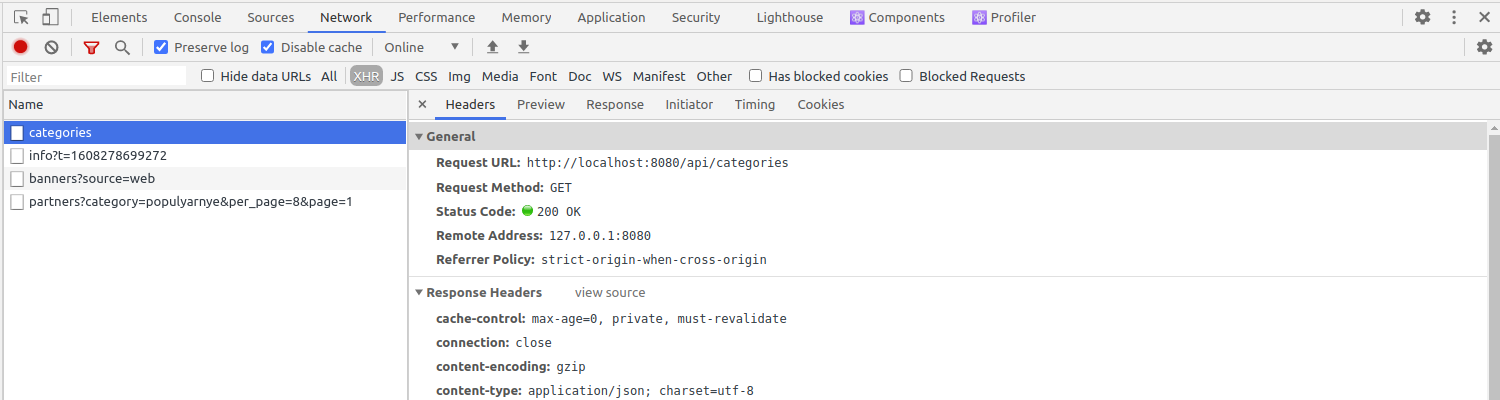
Preview , . , application/json
, .

Preserve logs ( Persist logs) Disable cache :
Preserve logs .
Disable cache , . , .
:
class CategoryList extends React.Component {
constructor(props) {
super(props);
this.state = {
categories: undefined, // <--- "categories: []"
};
}
mapCategoriesFromState() {
const mapped = this.state.categories.map(mapFn); // <--- ".map"
this.setState({
categories: mapped,
});
}
render() {
this.mapCategoriesFromState();
return 'Hello';
}
}
— , categories
, .map
. :
category-list.jsx:11 Uncaught TypeError: Cannot read property 'map' of undefined
at CategoryList.mapCategoriesFromState (category-list.jsx:11) <---
at CategoryList.render (category-list.jsx:19)
at finishClassComponent (react-dom.development.js:14742)
at updateClassComponent (react-dom.development.js:14697)
at beginWork (react-dom.development.js:15645)
at performUnitOfWork (react-dom.development.js:19313)
at workLoop (react-dom.development.js:19353)
at HTMLUnknownElement.callCallback (react-dom.development.js:150)
at Object.invokeGuardedCallbackDev (react-dom.development.js:200)
(Uncaught TypeError: Cannot read property 'map' of undefined) , , mapCategoriesFromState
CategoryList
11 category-list.jsx
. , , .
React , , , . , , . React- :
The above error occurred in the <CategoryList> component:
in CategoryList (created by Connect(CategoryList))
in Connect(CategoryList) (created by MainApp)
in OfferProvider (created by Connect(OfferProvider))
in Connect(OfferProvider) (created by MainApp)
in MainApp (created by Connect(MainApp))
in Connect(MainApp) (created by Context.Consumer)
in Route (created by App)
in Switch (created by App)
in Router (created by BrowserRouter)
in BrowserRouter (created by App)
in Provider (created by App)
in App (created by HotExportedApp)
in AppContainer (created by HotExportedApp)
in HotExportedApp
: , , - — . SPA- , -. , -, , . .
:
;
( );
;
(event listener handlers);
.
, , .
console.log
console.log
: , . , console.log
, , - .
, , , . (breakpoints, ) — , JavaScript.
:
, JS .
.
DOM- .
XHR- .
.
. , console.log
, .
:
.
.
, .
:
Sources;
, , .
, , : , .
, Breakpoints , . , , .

, :
, .
(), Breakpoints .
, Edit breakpoint.
— . .
, React-, . , API, - , - . , , , . , .
-, :

Resume script execution. : .
Step over next function call. . , , .
Step into the next function call , .
this.isUnkownCategory().

hot-loader
react-hot-loader, Step into the next function call , . react-hot-loader ReactDOM hot reload, React-, , React, .
Step out of current function , , , . .
componentDidMount:
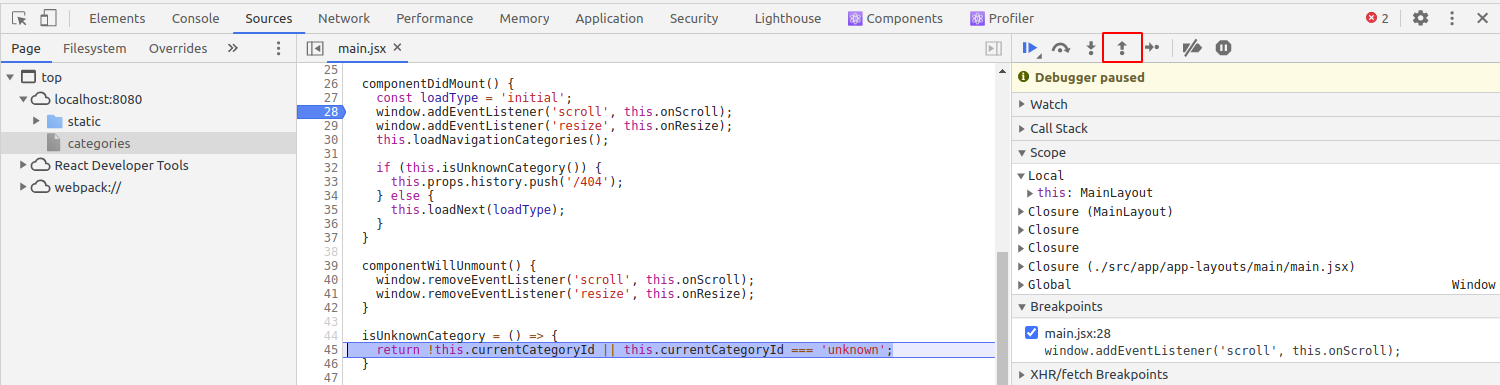
Step over, Step into, Step out Chrome, Firefox Safari. Google Chrome Step. Step into, , . Google.
, . Scope, .

, Scope , (Local), (Closure) (Global). : Scope .
React- , Scope . , this
MainLayout
. , this.state
, Scope.

, , . ConditionalBreakpoint
. , this.loadNext
, , Resume Script Execution
, loadType
. .
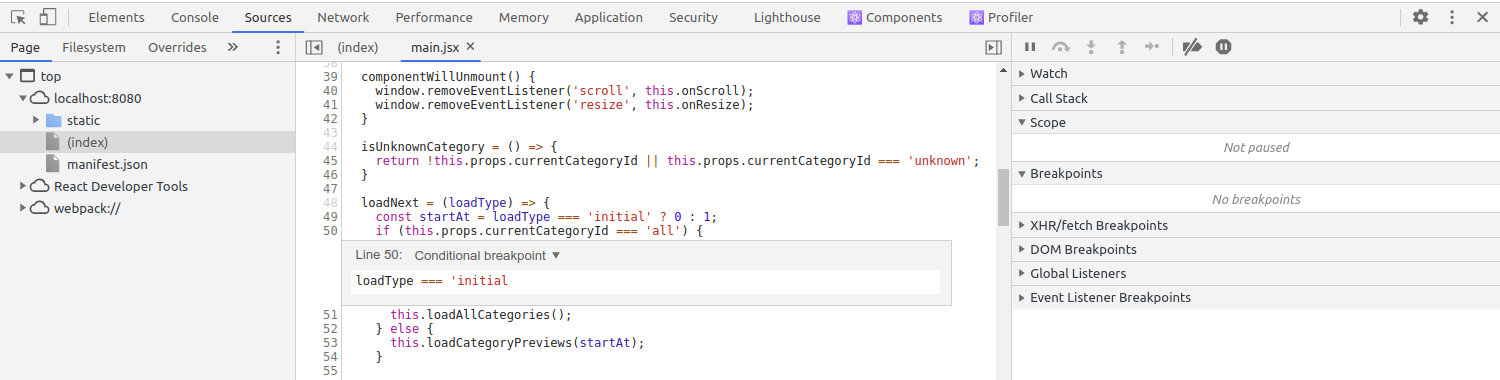
, . ?
, , :
( , );
.
, Webpack . , , https://webpack.js.org/configuration/devtool/#devtool.
C . ?
, , , . , . Chrome Shift+Esc
( macOS Window → Task Manager). Firefox ( ). , . , , (CPU, ) .
. , , Pause script execution
Sources ( Resume script execution
). JavaScript, , .
"SyntaxError: unexpected token <" . ?
, JS- HTML- , , , . Newtork , JS-. - , NGINX, :
<html>
<head><title>404 Not Found</title></head>
<body bgcolor="white">
<center><h1>404 Not Found</h1></center>
<hr><center>nginx/1.14.0 (Ubuntu)</center>
</body>
</html>
, , <
.
, - . ?
. -, , , . , , , (, }
). , .
: , , . , — . , — . - JS-, .
!