En bref sur FASM, assembleur, WinAPI
Qu'est-ce que le FASM? - Il s'agit d'un compilateur assembleur (assembleur plat).
Qu'est-ce que l'assembleur? - ce sont des instructions de la machine, c'est-à-dire des instructions sur ce qu'il faut faire au processeur.
Qu'est-ce que Windows API / WinAPI? - Ce sont des fonctions Windows, sans elles, vous ne pouvez pas travailler avec Windows.
Que font les fonctions WinAPI? - Beaucoup de choses:
Travailler avec des fichiers.
Travailler avec des fenêtres, dessiner des images, OpenGL, DirectX, GDI, etc.
Interaction avec d'autres processus.
Travailler avec les ports.
Travailler avec la console Windows
Et bien d'autres fonctionnalités intéressantes.
Pourquoi avez-vous besoin d'un assembleur?
Vous pouvez tout faire dessus, du système d'exploitation aux jeux 3D.
Voici les avantages de l'assembleur:
Il est très rapide.
.
:
. ()
.
(FASM)?
FASM - https://flatassembler.net/
FASM Editor 2.0 - IDE FASM, fasmworld.ru (asmworld), : https://fasmworld.ru/content/files/tools/FEditor-v2.0.rar
OlyDbg - ollydbg.de: https://www.ollydbg.de/odbg201.zip
8.5MB.
( )
FASM- C:\\FASM\ , FASMEditor.
FASMEdit-a -, C:\\FASM Editor 2.0\
OlyDbg -, C:\\Users\****\Documents\FasmEditorProjects\
FASM Editor-a
.
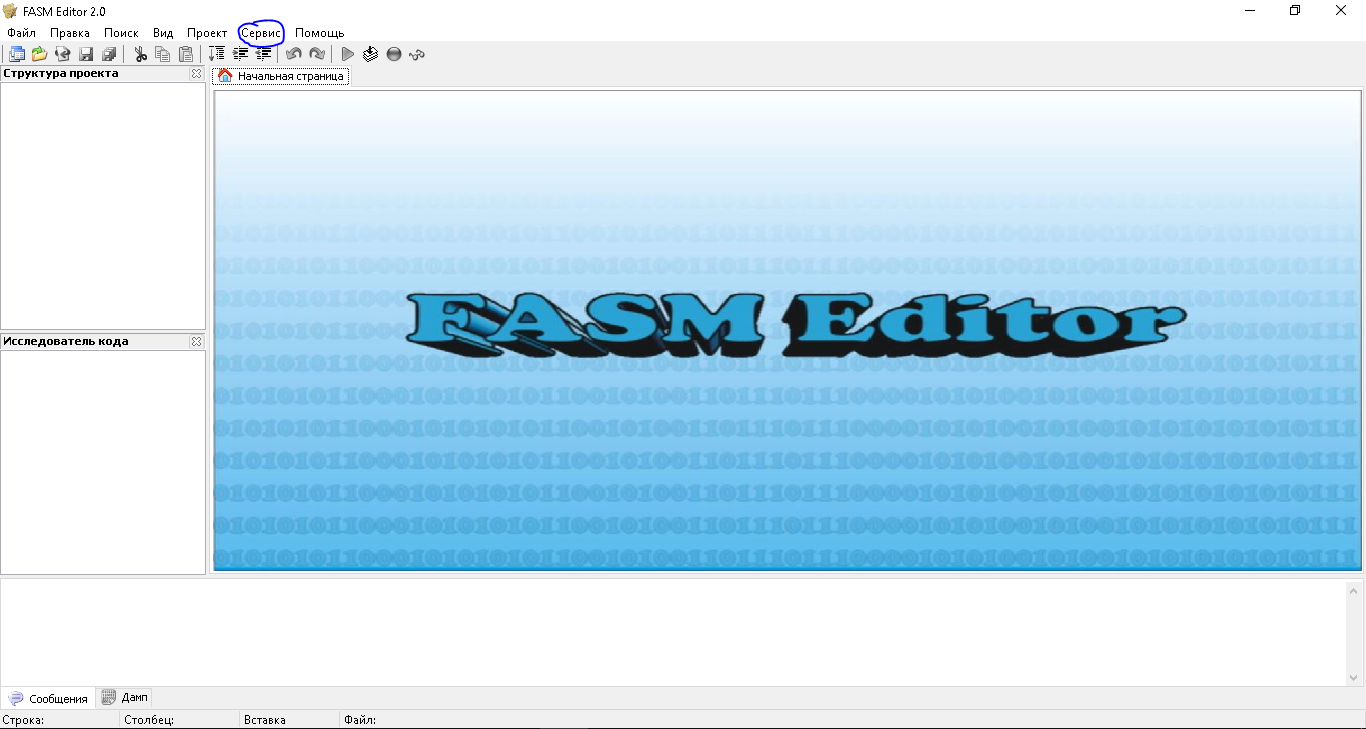
FASM Editor .
"" ( ) -> "..."
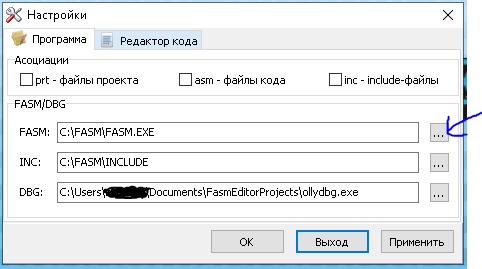
"..." .
. .
"Hello world!" FASM
Fasm Editor "" -> "". , "Console"
, .
format PE Console ; FASM
entry start ; windows- .
include 'win32a.inc' ; FASM-
; .
section '.data' data readable writeable ;
hello db 'hello world!',0 ;
section '.code' code readable writeable executable ;
start: ;
invoke printf, hello ; printf
invoke getch ;
; .
invoke ExitProcess, 0 ; windows-
; ()
section '.idata' data import readable ;
library kernel, 'kernel32.dll',\ ; ,
msvcrt, 'msvcrt.dll'
import kernel,\
ExitProcess, 'ExitProcess'
import msvcrt,\
printf, 'printf',\
getch, '_getch'
, 3: 16, 18, 21 . ( , . )
.
:
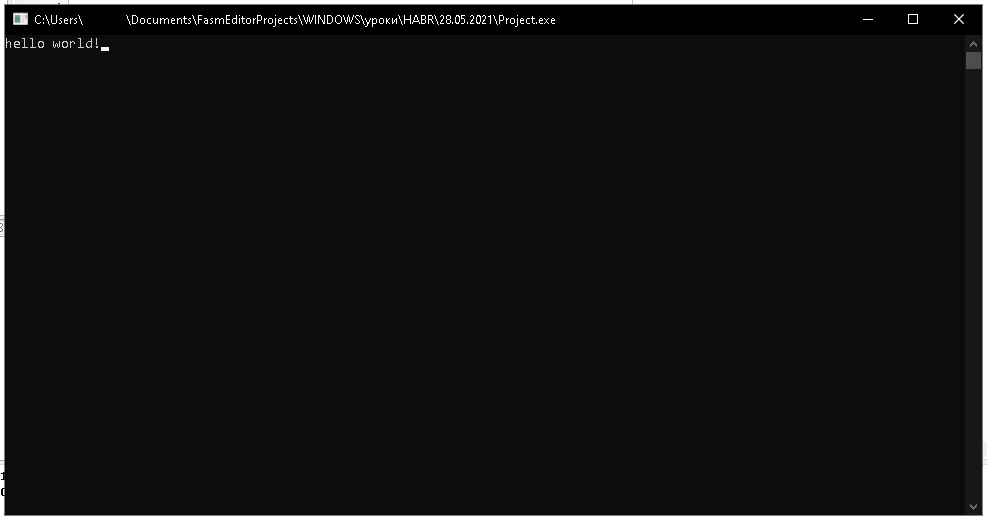
2. ( 1, )
: ?
1 : "format PE Console" - FASM- , 1 , ( ).
PE - EXE , .
Console - , .
:
format MZ - EXE- MS-DOS
format PE - EXE- Windows, format PE GUI 4.0
format PE64 - EXE- Windows, 64 .
format PE GUI 4.0 - EXE- Windows, .
format PE Console - EXE- Windows, . ( )
format PE Native -
format PE DLL - DLL- Windows, .
format COFF - OBJ- Linux
format MS COFF -
format ELF - OBJ- gcc (Linux)
format ELF64 - OBJ- gcc (Linux), 64-bit
( ) format PE Console
;
. .
3 : entry start
windows- \ . "start" , .
5 : include 'win32a.inc'
, "win32a.inc" INCLUDE ( FASM). .
8 : section '.data' data readable writeable
, (), , .
"data" ( \\ - ) .
"readable writeable" - -.
'.data' -
10 : hello db 'hello world!',0
hello - , (, ), , , , , FASM , .
db - 1 . 1 .
'hello world!' - ASCII
",0" ? - 0 ( ), 0, . . .
12 : section '.code' code readable writeable executable
"code" - .
"executable" - , .
.
14 : start:
. . 3 start , . , entry
15 : invoke printf, hello
printf - \ . "hello"
, , .
- , - .
, invoke : ( 15 )
push hello
call [printf]
.
17 : invoke getch
getch - , .
20 : invoke ExitProcess, 0
ExitProcess - WinAPI , . , , , .
23 : section '.idata' data import readable
"import" - .
24-25 :
library kernel, 'kernel32.dll',\
msvcrt, 'msvcrt.dll'
"library" DLL ( , ).
DLL .
kernel - , .
: 'kernel32.dll'
- DLL .
\
.
:
library kernel, 'kernel32.dll',\
msvcrt, 'msvcrt.dll'
:
library kernel, 'kernel32.dll', msvcrt, 'msvcrt.dll'
1 1 .
27-28 :
import kernel,\
ExitProcess, 'ExitProcess'
import
- , DLL.
kernel
- DLL, .
ExitProcess
- , , . (WinAPI )
'ExitProcess'
- Il s'agit du nom de la fonction qui sera chargée à partir de la DLL, c'est-à-dire du nom de la fonction qui est écrite dans la DLL.
De plus, je pense que cela ne vaut pas la peine de l'expliquer, tout semble clair.
Qu'est-ce qu'une bibliothèque DLL?
C'est un fichier avec une extension DLL. Ce fichier contient des fonctions (peu importe). Il s'agit d'un programme ordinaire, mais qui n'est pas lancé par un double clic, mais qui est chargé dans le programme dans la mémoire virtuelle, puis les fonctions situées dans cette DLL sont appelées.
Résumer
Vous pouvez écrire en assembleur sans connaître le langage lui-même, mais en utilisant uniquement les commandes macro du compilateur. Pour tout l'article, j'ai mentionné que 2 commandes d'assembleur ceci push hello
et call [printf]
. Je vais vous dire ce que cela signifie dans le prochain article.