, OpenShift Zabbix. , Prometheus, , Prometheus- OpenShift, Zabbix , .
Openshift 4.x Zabbix Operator
Zabbix Openshift Cluster Zabbix. , Zabbix Server, .
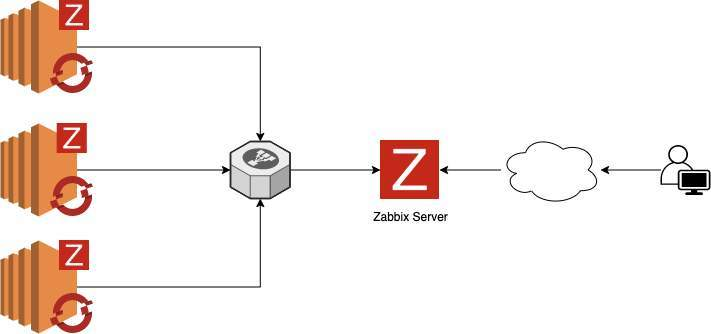
Zabbix Server
● httpd:
$ dnf update -y && dnf install @httpd -y
$ sed -i 's/^SELINUX=.*/SELINUX=permissive/g' /etc/selinux/config
$ systemctl enable --now httpd
$ systemctl status httpd
● MariaDB:
$ dnf -y install mariadb mariadb-server
$ systemctl start mariadb
$ mysql -u root -e "CREATE DATABASE zabbix character set utf8 collate utf8_bin;"
$ mysql -u root -e "GRANT ALL PRIVILEGES ON zabbix.* TO zabbix@'localhost' IDENTIFIED BY 'StrongPassword';"
$ mysqladmin flush-privileges
Note: If the database server is separate from the zabbix server, replace localhost with the zabbix server IP, example: zabbix@'1.2.3.4 '
● Zabbix Server:
# Install zabbix repository
$ dnf -y install https://repo.zabbix.com/zabbix/5.0/rhel/8/x86_64/zabbix-release-5.0-1.el8.noarch.rpm
# Install packages needed
$ dnf -y install zabbix-server-mysql zabbix-web-mysql zabbix-apache-conf zabbix-agent
# Restore database schema
$ zcat /usr/share/doc/zabbix-server-mysql*/create.sql.gz | mysql -u zabbix -p zabbix
# Adjust the database parameters
$ vim /etc/zabbix/zabbix_server.conf
# Parameters
DBName=zabbix
DBUser=zabbix
DBPassword=StrongPassword
# Adjust timezone if necessary
$ vim /etc/php-fpm.d/zabbix.conf
# Parameters
php_value[date.timezone] = America/Sao_Paulo
# Adjust php.ini
$ vim /etc/php.ini
# Parameters
memory_limit 128M
upload_max_filesize 8M
post_max_size 16M
max_execution_time 300
max_input_time 300
max_input_vars 10000
# Restart and Enable Services
$ systemctl restart zabbix-server zabbix-agent httpd php-fpm mariadb
$ systemctl enable zabbix-server zabbix-agent httpd php-fpm mariadb
# Now we will access our graphical interface to complete the installation process, go to:
http://<< IP ADDRESS or FQDN >>/zabbix
# In the welcome screen, click Next step
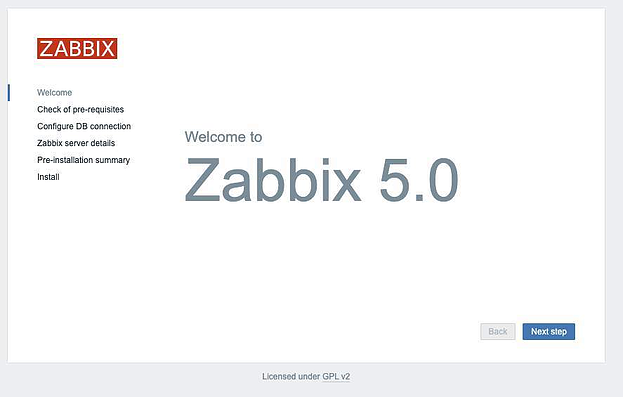
, , Next:
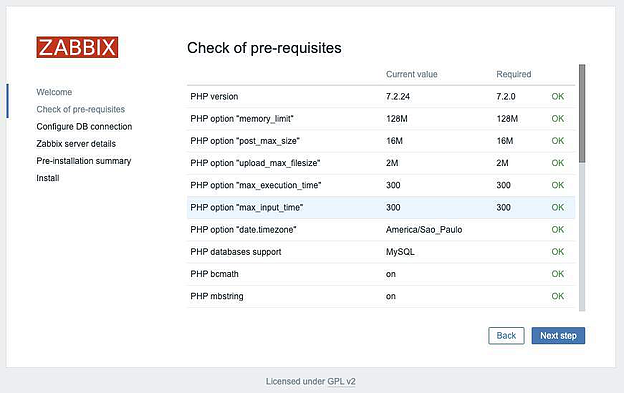
Next:

Name . Next:
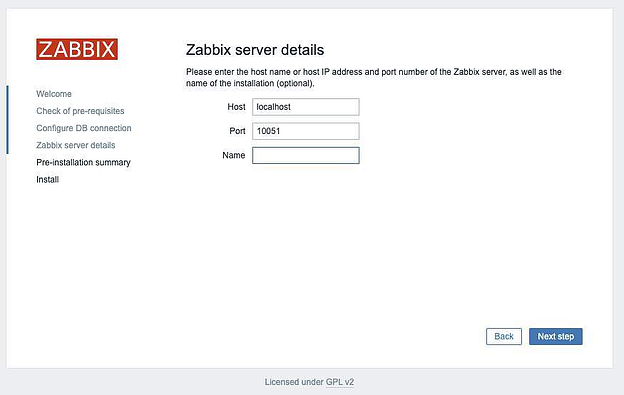
, Next, Finish:
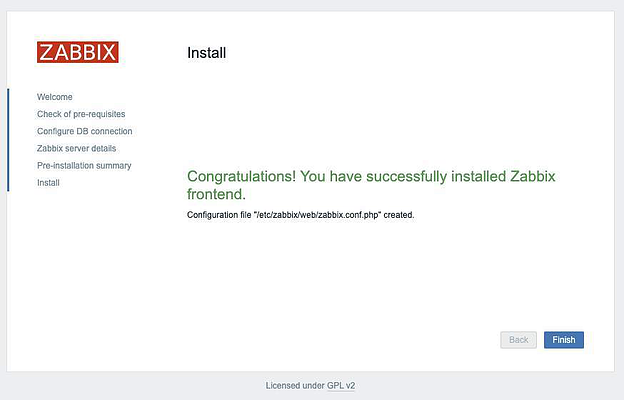
Zabbix Server
, :
Username: Admin
Password: zabbix
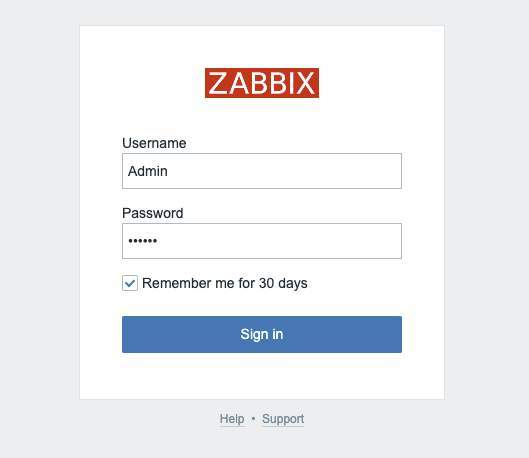
Admin, , .
, :
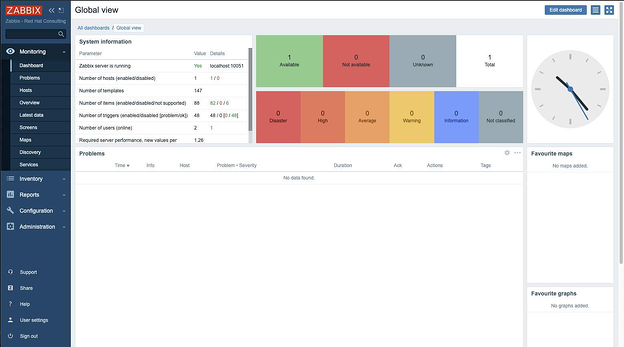
Openshift:
Configuration > Host Groups > Create host group, Add:
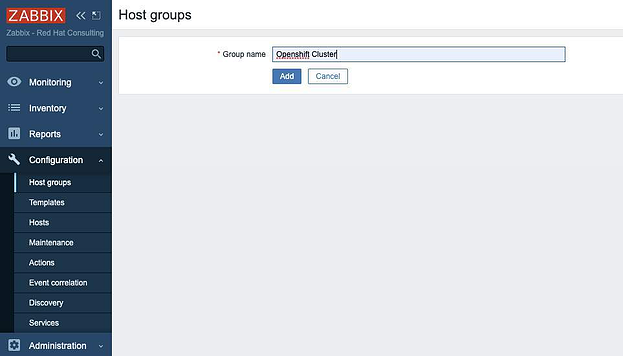
, zabbix . Configuration > Actions, Autoregistrion actions Create action:
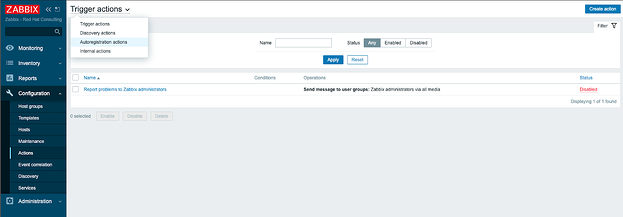
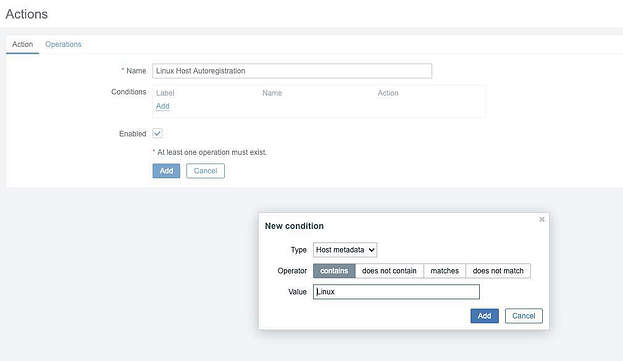
action, , Add:
Type: Host metadata
Operator: contains
Value: Linux
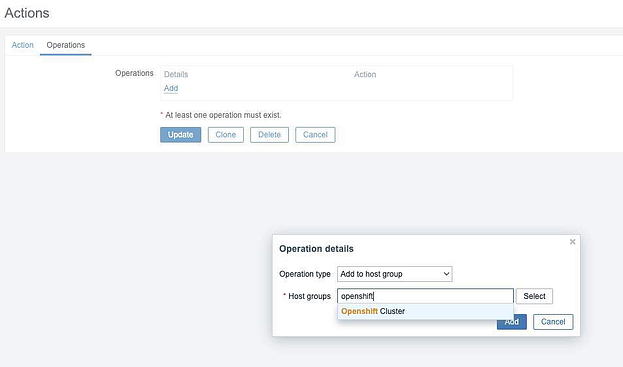
Operations Add :
Operation type: Add to host group
Host groups: Name of Host Group
:
Operation type: Link to template
Templates: Template OS Linux by Zabbix agent active

«OpenShift Cluster» «Template OS Linux by Zabbix agent active».
Zabbix Operator
Zabbix Operator Openshift.
OperatorHub Zabbix, Install:
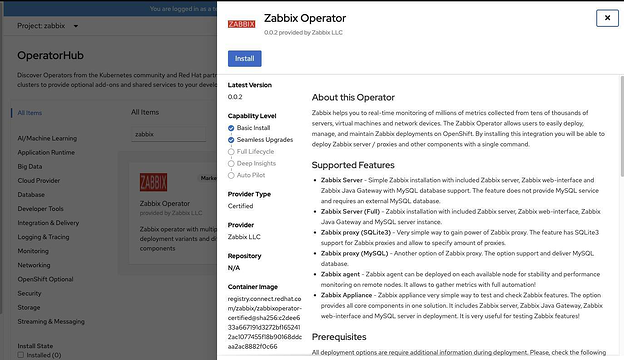
Install:
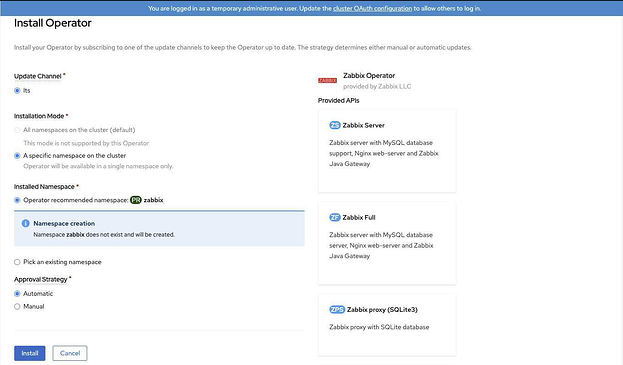
Zabbix Operator:
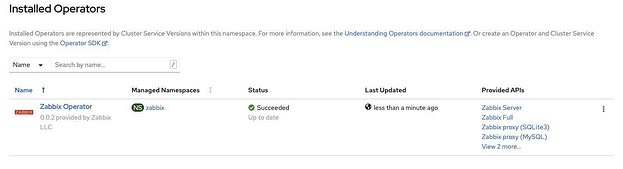
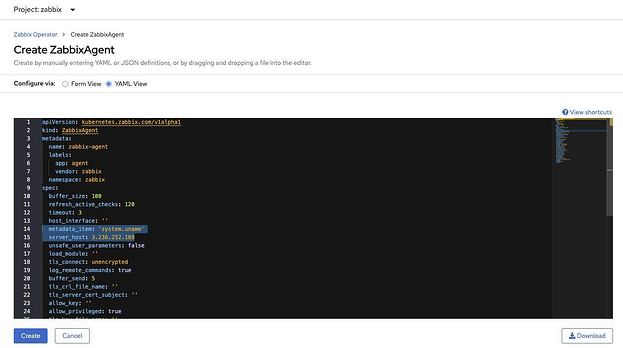
Zabbix Agent, Create ZabbixAgent > Select YAML View, Create:
metadata_item: 'system.uname'
server_host: <IP or FQDN Zabbix Server>
Zabbix Operator
Zabbix Daemonset > zabbix-agent > Tolerations Toleration , master-:
KEY: node-role.kubernetes.io/master
OPERATOR: Exists
EFFECT: NoSchedule
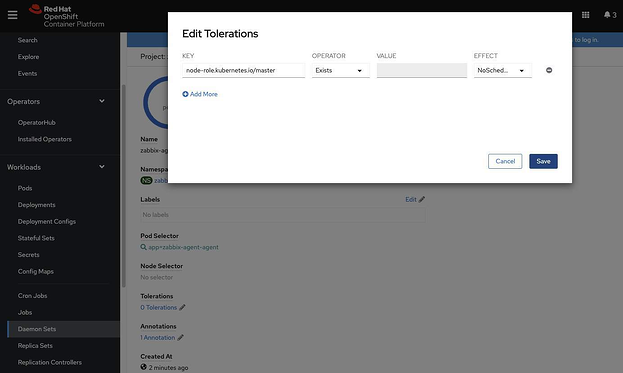
, daemonset 5 (3 master- 2 worker-)
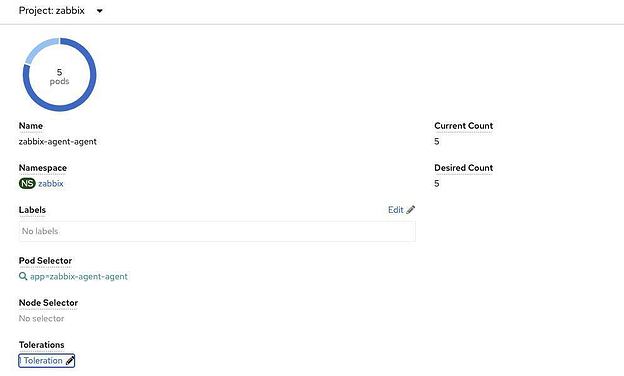
, :
oc get pods -o wide -n zabbix

Zabbix Configuration > Hosts.
, :

OpenShift- ( Host name) Visible name, Update:

, Zabbix Server, Monitoring > Latest data.
, :
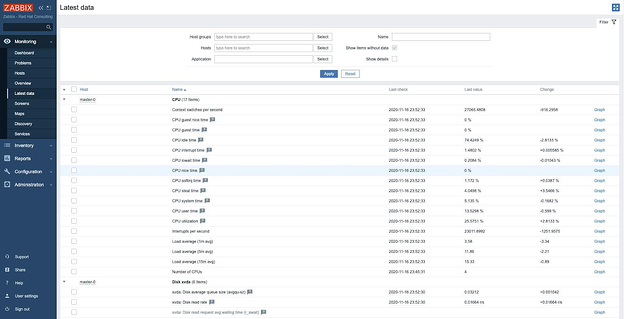
, Zabbix :
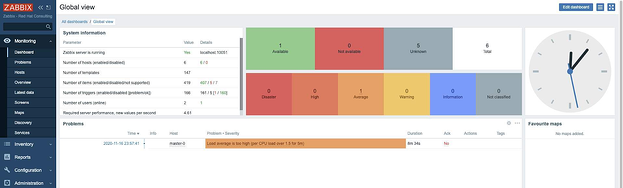
, , Openshift Zabbix Operator. (cpu, , , , ), , .
Openshift 4.x Zabbix Prometheus
, Openshift Zabbix Prometheus, Prometheus- OpenShift, , .
Zabbix:
http agent – .
LLD (low level discovery) – .
http agent, /metrics, Prometheus (target list) \metric Zabbix.
, LLD, , , , , .
, .
1. Prometheus- url context/targets, , Zabbix:
oc get routes -n openshift-monitoring | grep prometheus-k8s
2. Prometheus- url, IP- , openshift, 10.36.250.x:
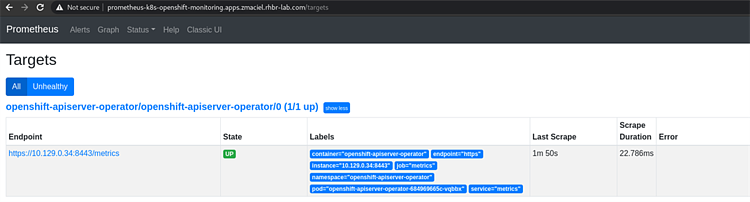
Cluster Operators, :

3. url cluster-operator-version , . cluster_operator_up, 1, , 0, .

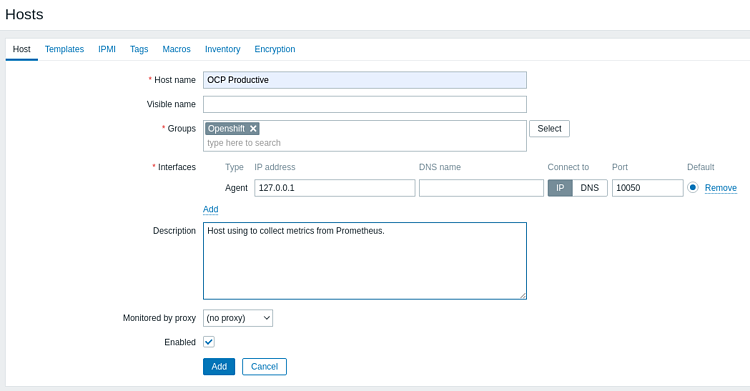
4. Zabbix Configuration > Host > Create Host , , Add:
5. , Items > Create Item, Add:
|
|
Name |
Prometheus Metrics Operators |
Type |
HTTP agent |
Key |
prom_operators |
URL |
https://{{ IP ADDRESS }}:9099/metrics |
Request type |
GET |
Request body type |
Raw data |
Type of Information |
Text |
Update Interval |
30s |
Name, Key Update Interval .

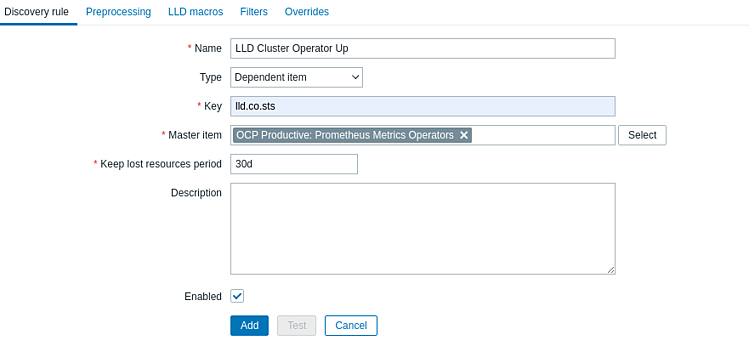
6. Discovery rule, Configuration > Hosts > > Discovery rules > Create discovery rule
|
|
Name |
LLD Cluster Operator Up |
Type |
Dependent item |
Key |
lld.co.sts |
Master item |
Prometheus Metrics Operators |
Name , Type Dependent item, LLD http agent, . Master item, Prometheus Metrics Operators
7. Preprocessing, Add, Prometheus to JSON Parameters , , :
cluster_operator_up {name = "authentication", version = "4.7.3"}
, Name Version :
cluster_operator_up{name=~".*",version=~".*"}

, plain text, json. , :
Test, Value - , Prometheus, Test , json. , , (mapping) .
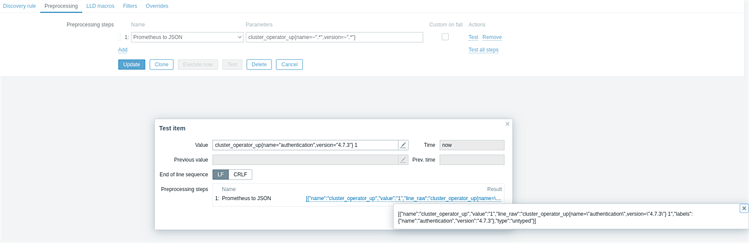
json:
[
{
"name":"cluster_operator_up",
"value":"1",
"line_raw":"cluster_operator_up{name=\"authentication\",version=\"4.7.3\"} 1",
"labels":{
"name":"authentication",
"version":"4.7.3"
},
"type":"untyped"
}
]
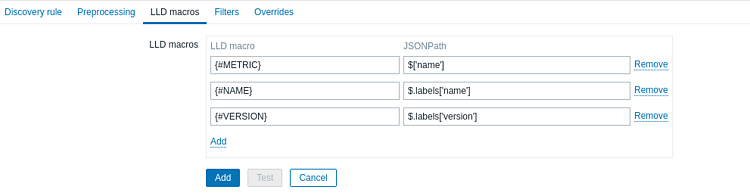
8. LLD macros. json- , Zabbix. , LLD macro, , {#NAME}. JSONPath json, $ ['name'] $ .labels ['name']. Add.
9. , LLD . , , , LLD. Item prototypes > Create item prototype:

|
|
Name |
{#METRIC} on {#NAME} |
Type |
Dependent item |
Key |
ocp.co.stats[{#NAME}] |
Master item |
OCP Productive: Prometheus Metrics Operators |
Type of Information |
Numeric(unsigned) |
New Application / Applications |
Operators |
Description |
{#METRIC} on {#NAME} |
Name, Key Description /. / Key , , .
New Application . , Operators.
, (collection time) , , http agent, 5.
10. , , Preprocessing, Preprocessing steps Add, Prometheus Pattern Parameters :
{#METRIC}{name="{#NAME}",version="{#VERSION}"}

, , /, 8. Add ( Update, Add, ).
11. , LLD. Monitoring > Latest data > , , , Apply:
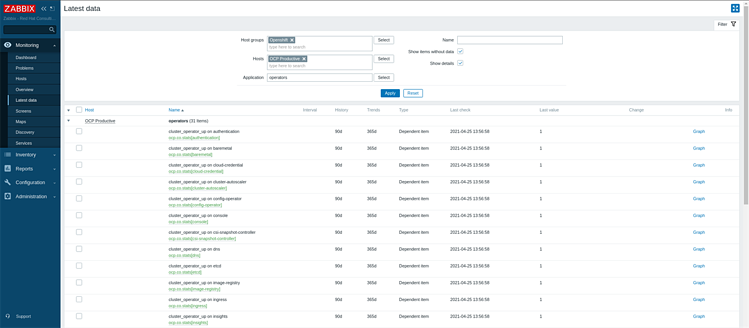
, . , , Preprocessing:

Parameters, LLD.
12. , , , . Configuration > Hosts > Host > Discovery rules > LLD > Trigger prototypes > Create trigger prototype
Severity. Expression Add>. Item Select prototype . Function last (), Result «< 1».
1 – OK, 0 – _OK.
Insert, Add.
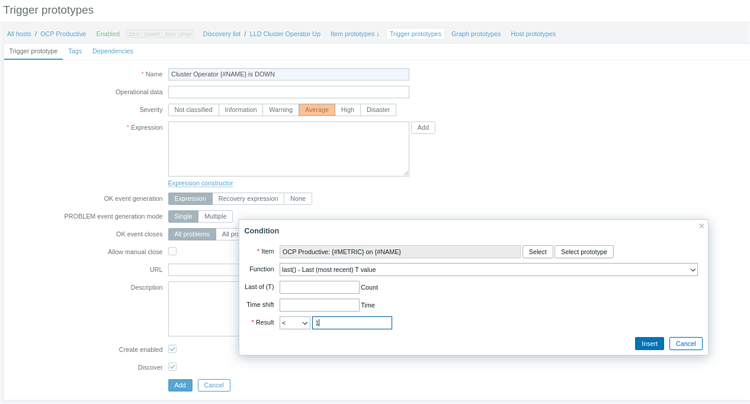
.
13. , Monitoring > Dashboard , .
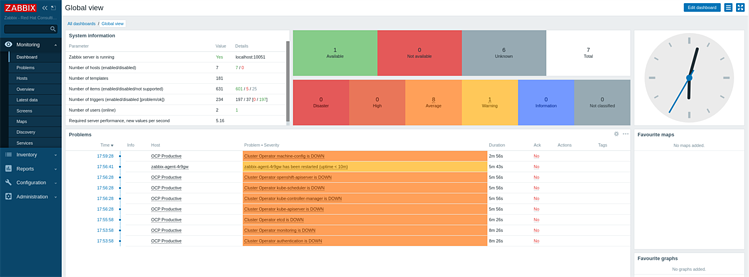
, , __/metrics , LLD:

14. , , , , , , kube-apiserver ( API):

Curl, , :
$ curl -k https://10.36.250.77:6443/metrics
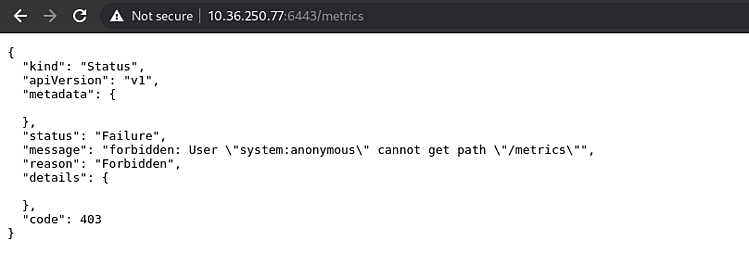
15. openshift serviceaccounts zabbix:
$ oc project zabbix
$ oc get sa
cluster-reader serviceaccount- zabbix-agent :
$ oc adm policy add-cluster-role-to-user cluster-reader -z zabbix-agent
, . Curl Bearer-:
$ TOKEN=`oc sa get-token zabbix-agent`
$ curl -Ik -H "Authorization: Bearer $TOKEN" https://10.36.250.77:6443/metrics
HTTP/2 200
audit-id: 6d3ff3b6-b687-494c-ae04-ec46e813aea1
cache-control: no-cache, private
content-type: text/plain; version=0.0.4; charset=utf-8
x-kubernetes-pf-flowschema-uid: 3a22c354-288e-4c16-ac53-f828d6e66303
x-kubernetes-pf-prioritylevel-uid: a4bc8a8e-784c-45ab-b68b-1620bfb48ef5
date: Sun, 25 Apr 2021 21:25:34 GMT
16. Zabbix . Configuration > Hosts > > Items > Create item
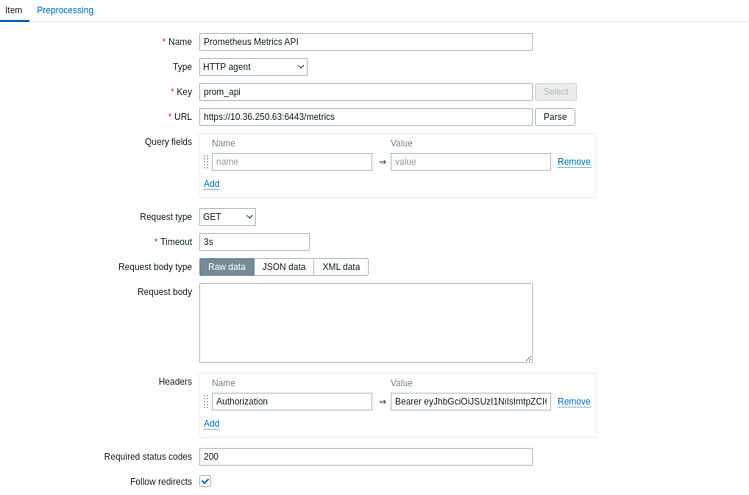
bearer- , Headers. Name Authorization, Value «Bearer» , :
Authorization |
Bearer xxxxxxxxxxxxxxxxxxxxxxxxxxxxxxxxxxxxxxxxxxxxxxxx |
6-12 , , Zabbix.
LLD degraded LLD Objects Etcd:

Etcd-, LLD , :
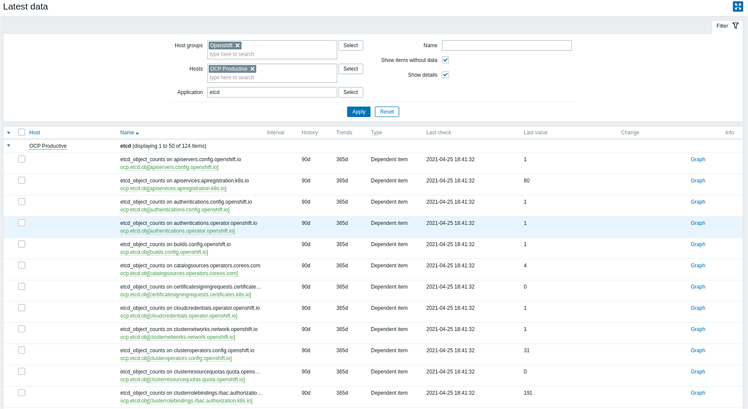
:
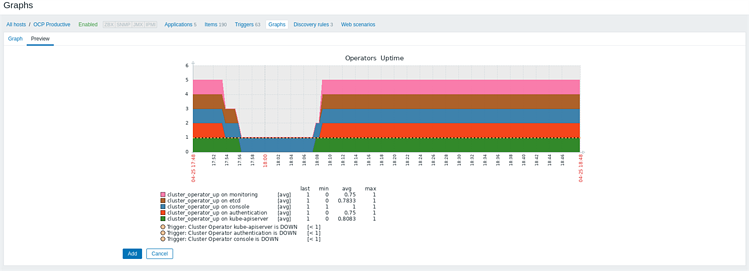
, , Zabbix Prometheus- OpenShift, .
, OpenShift Zabbix. , Prometheus, , Prometheus- OpenShift, Zabbix , .