Voyons comment utiliser le service cloud Amazon pour créer une Chatty
application de chat en temps réel à une pièce, multi-utilisateurs et à l'aide du framework Vue et d' AWS Amplify . Configurons l'enregistrement des utilisateurs et le stockage des données.
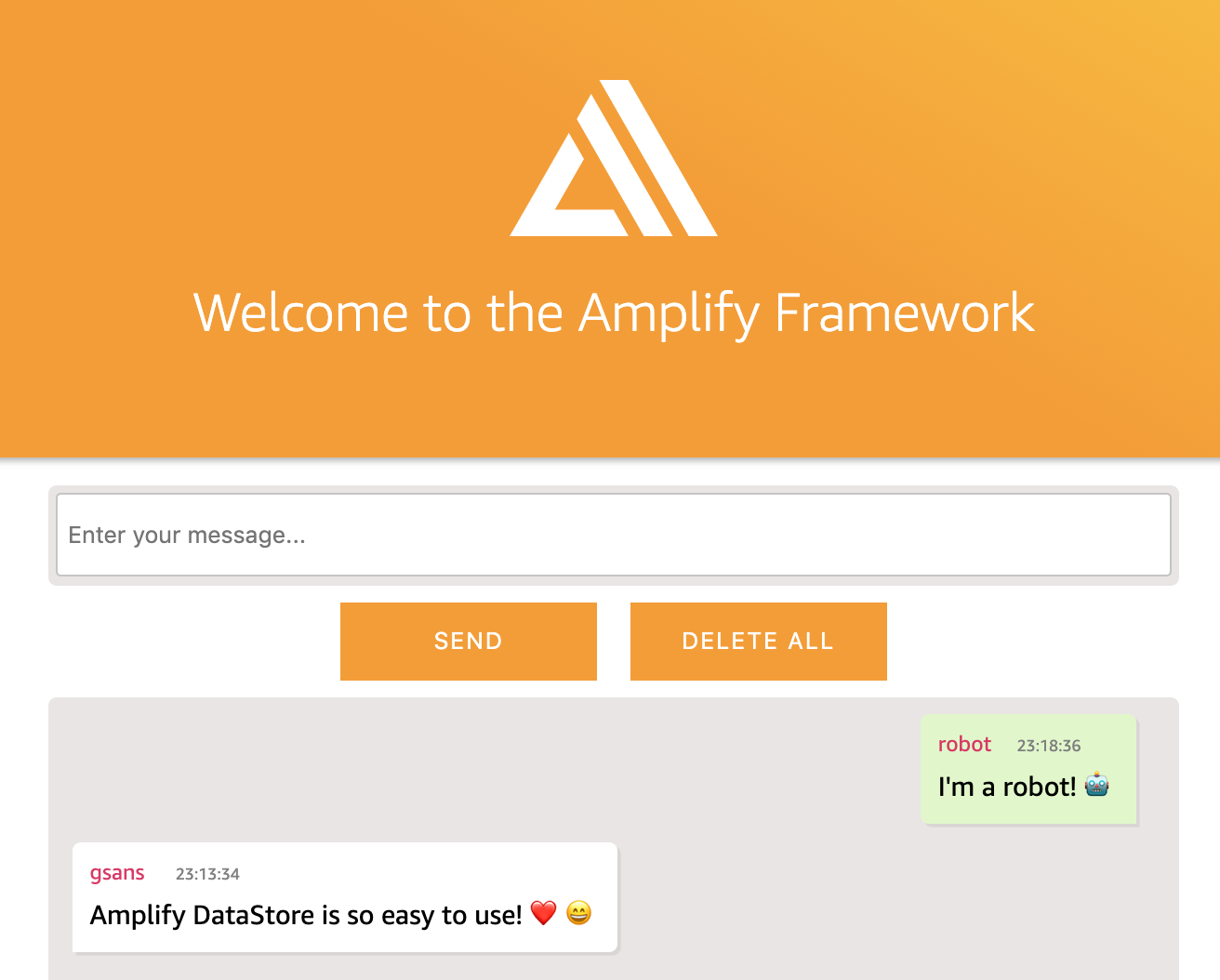
Sujets que nous aborderons:
Authentification
API GraphQL avec AWS AppSync
Configurer Amplify DataStore
Déploiement via Amplify Console
Suppression de services
Application et dépannage
: https://master.d58xs5f4j0v44.amplifyapp.com/
:
$1 Amazon AWS
Visual Studio Code , npm:
Node:
14.7.0
. Visit Node
npm:
6.14.7
.
npm install -g npm
-
, Vue :
npm install -g @vue/cli
vue create amplify-datastore
? : [Vue 2] (babel, eslint)
, .
cd amplify-datastore
npm run serve
Vue.js

C:\Users\Admin\amplify-datastore> Visual Studio Code:
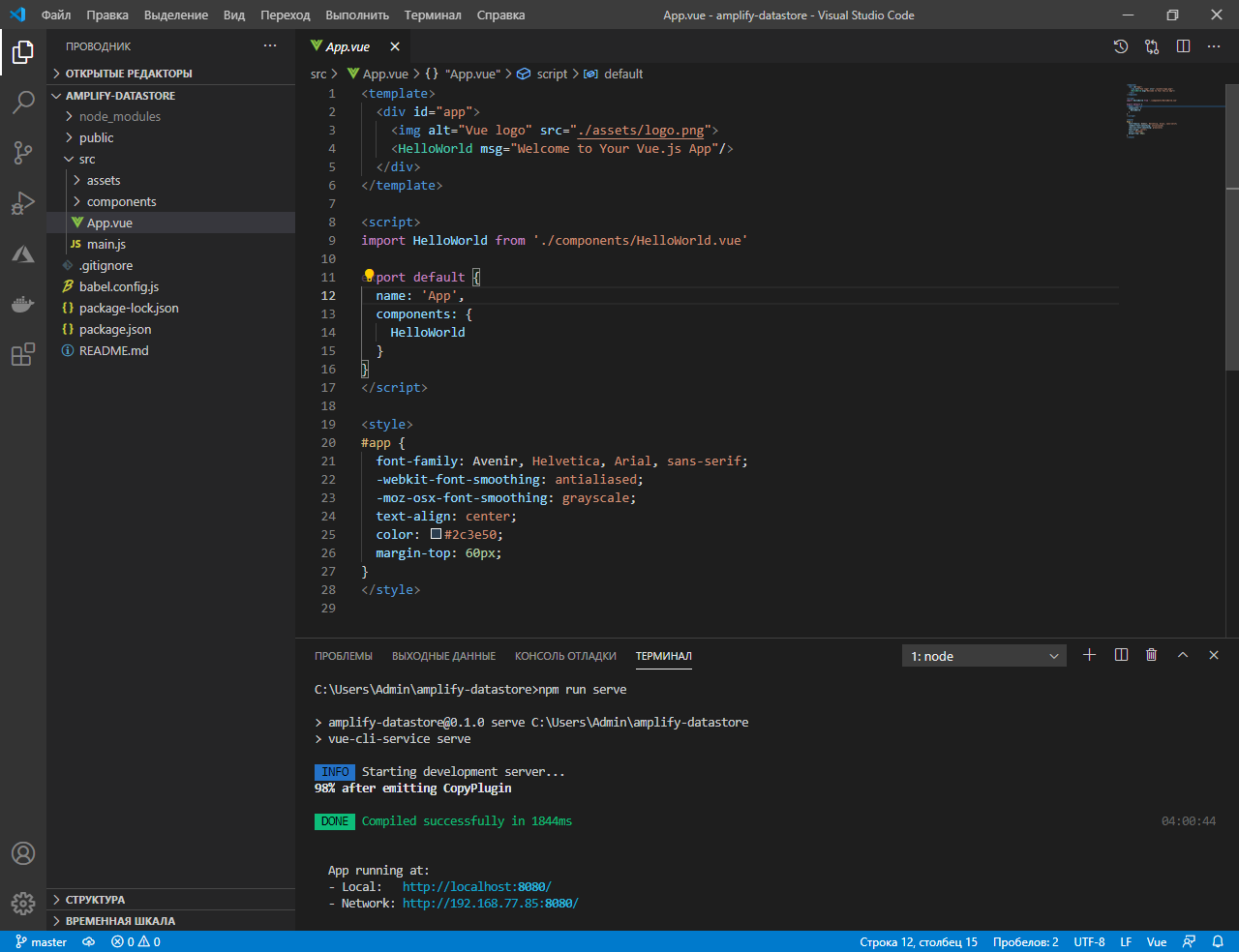
Vue, .
CTRL+C .
API AWS Amplify AWS Amplify Vue:
npm install --save aws-amplify @aws-amplify/ui-vue moment
AWS Amplify
AWS Amplify:
npm install -g @aws-amplify/cli
CLI :
amplify configure
amplify configure
. AWS :
AWS: eu-central-1 ()
IAM: ampify-datastore
AWS : , : , : , IAM. Enter.
:
accessKeyId: (<YOURACCESSKEYID>)secretAccessKey: (<YOURSECRETACCESSKEY>)
:
IAM, https://console.aws.amazon.com/iam/home?region=eu-central-1#/users . , .
amplify init
: ampifydatastore
: dev
: Visual Studio Code
, javascript
JavaScript vue
: src
: dist
: npm run-script build
: npm run-script serve
AWS?
, ,
AWS Amplify , : ampify . .
<amplify-app>
|_ amplify
|_ .config
|_ #current-cloud-backend
|_ backend
team-provider-info.json
Amplify, :
amplify add auth
?:
, Cognito ?:
? , .
? ( <>, , <a>, , <i>, ):
- ? ( <>, , <a>, , <i>, ):
,
Enter
.
push, AWS.
amplify push
Current Environment: dev
| Category | Resource name | Operation | Provider plugin |
| -------- | ------------------ | --------- | ----------------- |
| Auth | amplifyappuuid | Create | awscloudformation |
? Are you sure you want to continue? Yes
Cognito, :
amplify status
AWS Cognito , https://console.aws.amazon.com/cognito/ .
Vue
, !
, , Vue, AWS Amplify. , aws-exports.js
, src
.
, main.js :
import Vue from 'vue'
import App from './App.vue'
import Amplify from 'aws-amplify';
import '@aws-amplify/ui-vue';
import aws_exports from './aws-exports';
Amplify.configure(aws_exports);
Vue.config.productionTip = false
new Vue({
render: h => h(App),
}).$mount('#app')
AWS.
AWS Amplify , .
Authenticator, src / App.vue :
<template>
<div id="app">
<amplify-authenticator>
<div>
<h1>Hey, {{user.username}}!</h1>
<amplify-sign-out></amplify-sign-out>
</div>
</amplify-authenticator>
</div>
</template>
, . .
, Cognito https://console.aws.amazon.com/cognito/ .
amplify console auth
, onAuthUIStateChange
, , .
<script>
import { AuthState, onAuthUIStateChange } from '@aws-amplify/ui-components'
export default {
name: 'app',
data() {
return {
user: { },
}
},
created() {
// authentication state managament
onAuthUIStateChange((state, user) => {
// set current user and load data after login
if (state === AuthState.SignedIn) {
this.user = user;
}
})
}
}
</script>
GraphQL API
GraphQL API, :
amplify add api
, GraphQL
API: ChattyAPI
API API
API: ()
API (1-365): 7
GraphQL API? , .
? N
? Y
Auto Merge
? N
GraphQL? N
? Y
: (, «Todo» , , )
? Y
,
Enter
.
:
type Chatty @model {
id: ID!
user: String!
message: String!
createdAt: AWSDateTime
}
.
: !
:
amplify push
?
GraphQL API?
javascript
, graphql src / graphql / ** / *. Js
/ GraphQL - , ?
[ , ] 2
GraphQL API .
API AWS AppSync. , AWS AppSync. , .
amplify console api
, GraphQL
Amplify DataStore
Amplify DataStore
:
npm install --save @aws-amplify/core @aws-amplify/datastore
ChattyAPI.
amplify codegen models
: , .
AWS Amplify , : models . .
<amplify-app>
|_ src
|_ models
https://github.com/lazy-fox-code/amplify-datastore . App.vue .
App.vue <template> <div id="app"> , , . <script> . .
, GraphQL API , !
, , , , .
import { DataStore } from "@aws-amplify/datastore";
import { Chatty } from "./models";
await DataStore.save(new Chatty({
user: "amplify-user",
message: "Hi everyone!",
createdAt: new Date().toISOString()
}))
API GraphQL.
, Amplify DataStore. , , , .
import { DataStore, Predicates } from "@aws-amplify/datastore";
import { Chatty } from "./models";
const messages = await DataStore.query(Chatty, Predicates.ALL);
, .
, , .
UI
, .
<template>
<div v-for="message of sorted" :key="message.id">
<div>{{ message.user }} - {{ moment(message.createdAt).format('YYYY-MM-DD HH:mm:ss')}})</div>
<div>{{ message.message }}</div>
</div>
</template>
<script>
import { Auth } from "aws-amplify";
import { DataStore, Predicates } from "@aws-amplify/datastore";
import { Chatty } from "./models";
import moment from "moment";
export default {
name: 'app',
data() {
return {
user: {},
messages: [],
}
},
computed: {
sorted() {
return [...this.messages].sort((a, b) => -a.createdAt.localeCompare(b.createdAt));
}
},
created() {
this.currentUser();
},
methods: {
moment: () => moment(),
currentUser() {
Auth.currentAuthenticatedUser().then(user => {
this.user = user;
this.loadMessages();
});
},
loadMessages() {
DataStore.query(Chatty, Predicates.ALL).then(messages => {
this.messages = messages;
});
},
}
}
</script>
, .
<template>
<form v-on:submit.prevent>
<input v-model="form.message" placeholder="Enter your message..." />
<button @click="sendMessage">Send</button>
</form>
</template>
<script>
export default {
data() {
return {
form: {},
};
},
methods: {
sendMessage() {
const { message } = this.form
if (!message) return;
DataStore.save(new Chatty({
user: this.user.username,
message: message,
createdAt: new Date().toISOString()
})).then(() => {
this.form = { message: '' };
this.loadMessages();
}).catch(e => {
console.log('error creating message...', e);
});
},
}
}
</script>
Amplify DataStore .
. , delete .
DataStore.delete(Chatty, Predicates.ALL).then(() => {
console.log('messages deleted!');
});
GraphQL
, , API.
, .
, , .
<script>
export default {
data() {
return {
subscription: undefined;
};
},
created() {
//Subscribe to changes
this.subscription = DataStore.observe(Chatty).subscribe(msg => {
console.log(msg.model, msg.opType, msg.element);
this.loadMessages();
});
},
destroyed() {
if (!this.subscription) return;
this.subscription.unsubscribe();
},
}
</script>
Amplify
Amplify CLI, , CI/CD? Amplify .
, , GitHub . , , URL- git :
git init
git remote add origin git@github.com:username/project-name.git
git add .
git commit -m 'initial commit'
git push origin master
Amplify AWS https://eu-central-1.console.aws.amazon.com/amplify/home .
« », . Github .
Next .
, Amplify , .
, « », !
Master, .
, , amplify remove
:
amplify remove auth
amplify push
, , amplify status
:
amplify status
amplify status
, .
AWS
, Amazon Web Services.
: AWS
: TypeError: fsevents
: npm audit fix --force
: /
:
amplify update api
amplify push
,
? Y
Auto Merge
? N
Vue AWS.
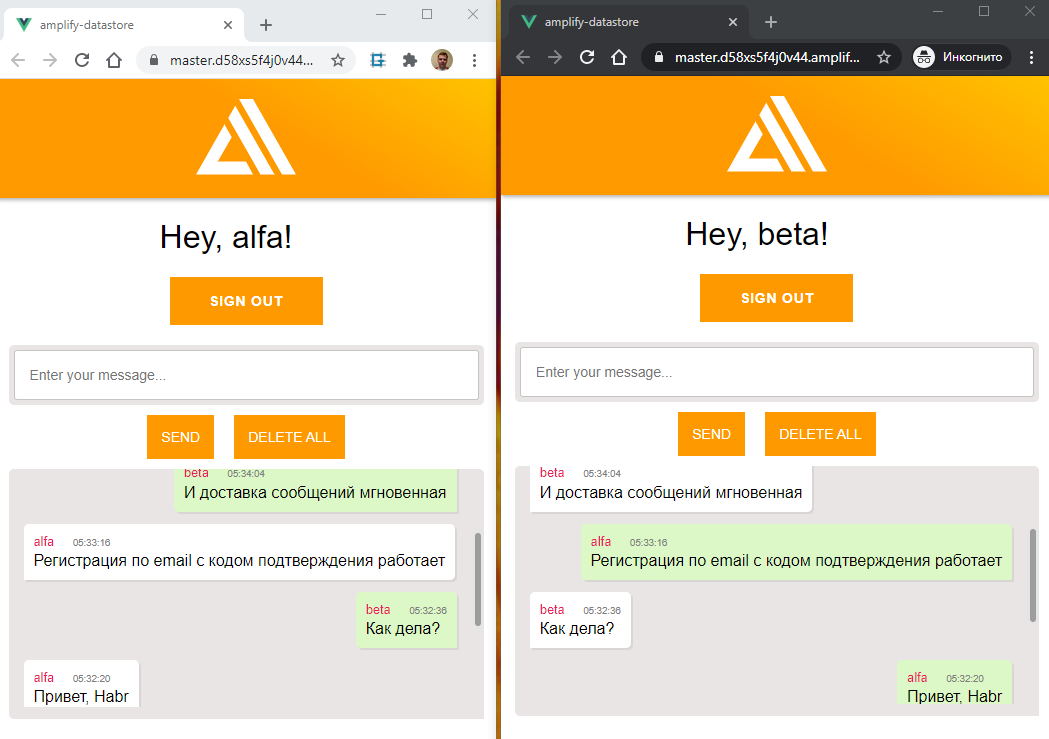
?
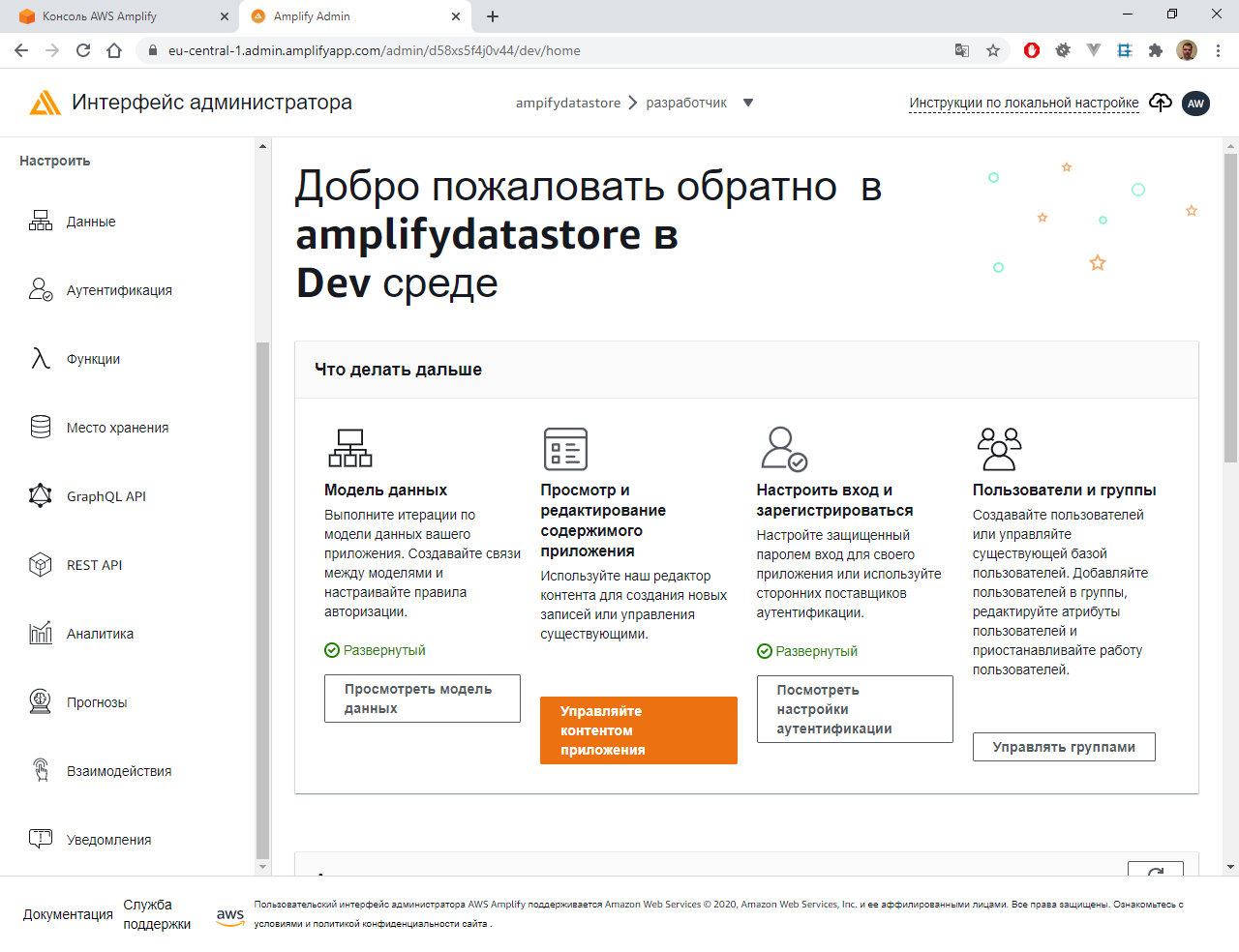
Amplify. :
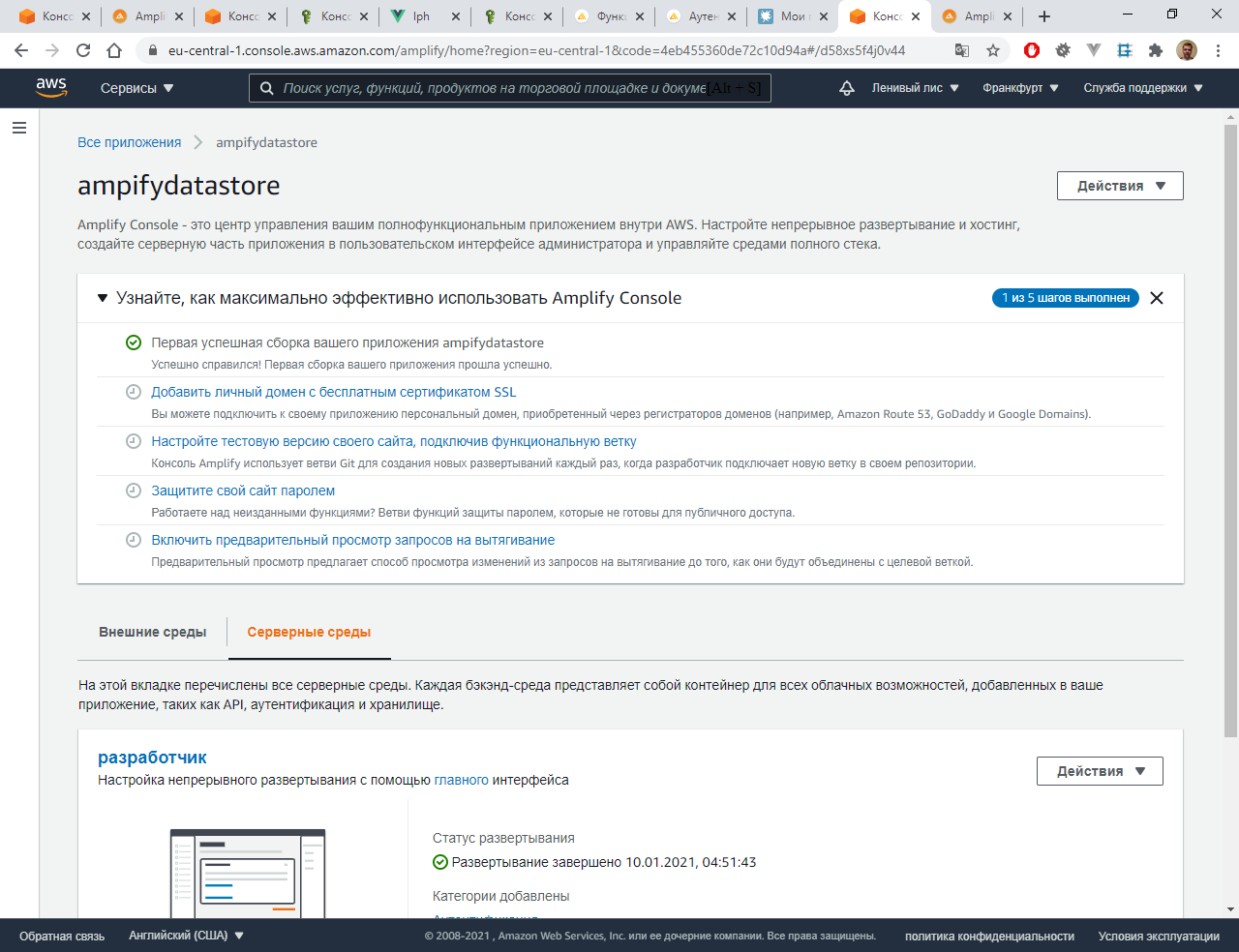
. , API :
L'article a délibérément utilisé le moyen le plus simple d'atteindre l'objectif. Lors de la création, le développeur remarquera de nombreuses fonctionnalités supplémentaires: autorisation par téléphone, une lettre avec un lien avec redirection, captcha lors de l'inscription pour se protéger contre les robots, liaison de votre domaine (y compris en cyrillique, qui n'est d'ailleurs pas disponible dans Azure). Et aussi de nombreux autres petits pains tout aussi intéressants.