Félicitations, au moins, à tous ceux qui vivent en Sibérie avec le début de l'été !)))
La navigation est un sujet assez compliqué aujourd'hui.
On va voir comment s'arrange la navigation dans Flutter, ce qu'il faut généralement pour passer d'un écran à l'autre, et bien sûr on n'oubliera pas de passer des arguments entre écrans.
Et enfin, un cas d'utilisation très courant : la création d'une BottomNavigationBar.
« Eh bien, ne perdons pas une minute, commençons !
Notre plan
Partie 1 - introduction au développement, première annexe, notion d'état ;
Partie 2 - fichier pubspec.yaml et utilisation de flutter sur la ligne de commande ;
Partie 3 (article actuel) - BottomNavigationBar et Navigator ;
Partie 4 - MVC. Nous utiliserons ce modèle particulier comme l'un des plus simples ;
Partie 5 - paquet http. Création de la classe Repository, premières demandes, listing des posts ;
Partie 6 - Travailler avec des images, afficher des images sous forme de grille, recevoir des images du réseau, ajouter les vôtres à l'application ;
Partie 7 - Création de votre propre thème, ajout de polices et d'animations personnalisées ;
Partie 8 - Un peu sur les tests ;
Navigateur et pile de navigation
Flutter est assez simple à naviguer, il n'y a pas de fragments ou d'activités.
Tout simplement, chaque page est un widget appelé Route.
La navigation se fait via l'objet Navigator :
// Navigator.of(context) Navigator
// : NavigatorState, push pop
// push Navigator
// pop
// MaterialPageRoute
//
Navigator.of(context).push(
MaterialPageRoute(builder: (context) => OurPage())
);
Regardons la pile Navigator avec un exemple spécifique.
Nous avons deux écrans : une liste de livres et des informations sur un livre.
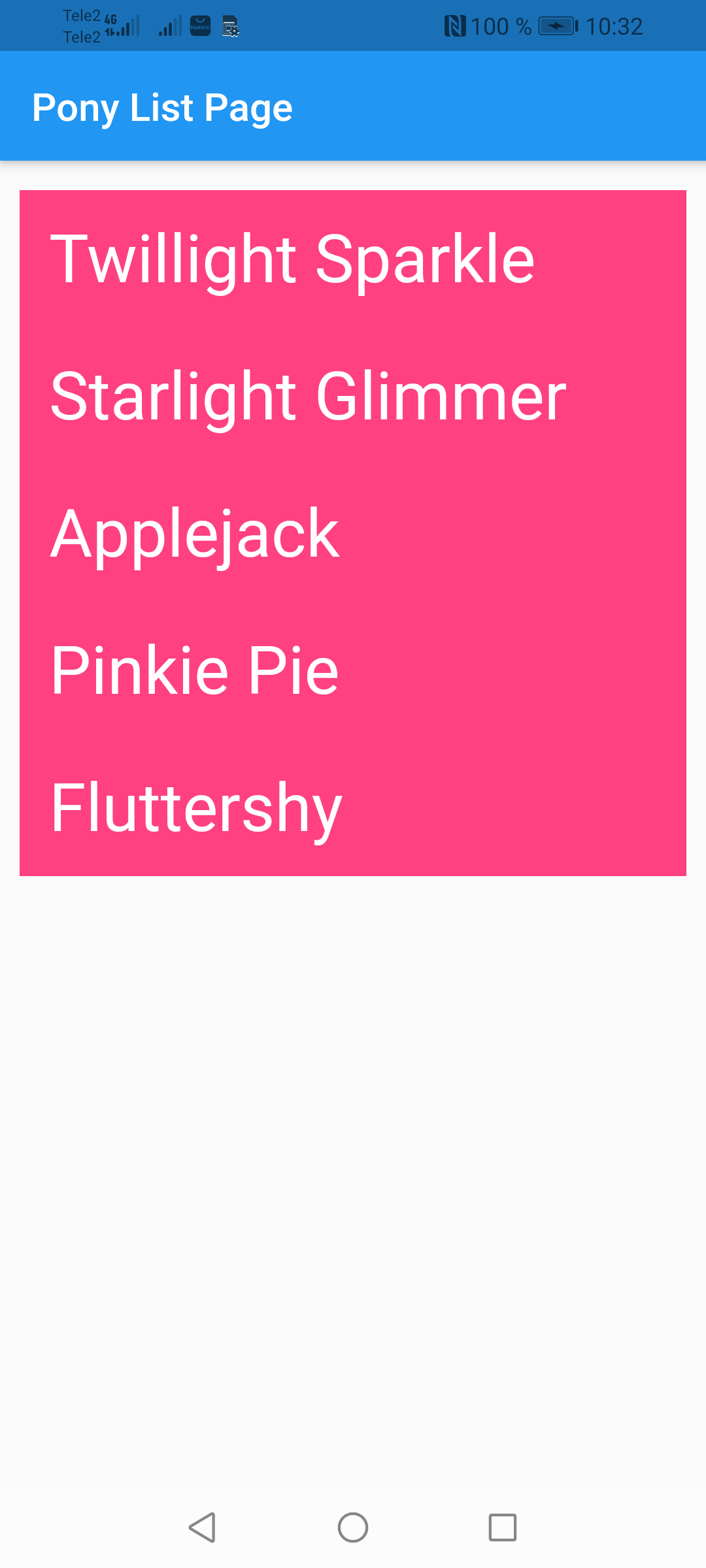
Le premier écran qui apparaît au lancement de l'application est la liste des livres :
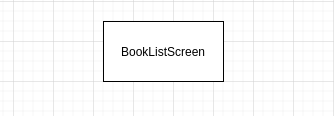
:

.
Back Up ( ) :

push(route)
, pop()
.
!
My Little Pony .
pages:

:
import 'package:flutter/material.dart';
// , , id
class Pony {
final int id;
final String name;
final String desc;
Pony(this.id, this.name, this.desc);
}
//
// final ,
// ponies
//
final List<Pony> ponies = [
Pony(
0,
"Twillight Sparkle",
"Twilight Sparkle is the central main character of My Little Pony Friendship is Magic. She is a female unicorn pony who transforms into an Alicorn and becomes a princess in Magical Mystery Cure"
),
Pony(
1,
"Starlight Glimmer",
"Starlight Glimmer is a female unicorn pony and recurring character, initially an antagonist but later a protagonist, in the series. She first possibly appears in My Little Pony: Friends Forever Issue and first explicitly appears in the season five premiere."
),
Pony(
2,
"Applejack",
"Applejack is a female Earth pony and one of the main characters of My Little Pony Friendship is Magic. She lives and works at Sweet Apple Acres with her grandmother Granny Smith, her older brother Big McIntosh, her younger sister Apple Bloom, and her dog Winona. She represents the element of honesty."
),
Pony(
3,
"Pinkie Pie",
"Pinkie Pie, full name Pinkamena Diane Pie,[note 2] is a female Earth pony and one of the main characters of My Little Pony Friendship is Magic. She is an energetic and sociable baker at Sugarcube Corner, where she lives on the second floor with her toothless pet alligator Gummy, and she represents the element of laughter."
),
Pony(
4,
"Fluttershy",
"Fluttershy is a female Pegasus pony and one of the main characters of My Little Pony Friendship is Magic. She lives in a small cottage near the Everfree Forest and takes care of animals, the most prominent of her charges being Angel the bunny. She represents the element of kindness."
),
];
// PonyListPage ,
// ..
//
class PonyListPage extends StatelessWidget {
// build ,
//
@override
Widget build(BuildContext context) {
return Scaffold(
appBar: AppBar(title: Text("Pony List Page")),
//
body: Padding(
// EdgeInsets double :
// left, top, right, bottom - , ,
// EdgeInsets.all(10) -
// EdgeInsets.only(left: 10, right: 15) -
//
// EdgeInsets.symmetric -
// (left right) (top bottom)
padding: EdgeInsets.symmetric(vertical: 15, horizontal: 10),
//
child: ListView(
// map ,
//
// ( Material).
// map
// ,
// Material
children: ponies.map<Widget>((pony) {
// Material ,
//
// ripple
return Material(
color: Colors.pinkAccent,
// InkWell
// , :
child: InkWell(
// splashColor - ripple
splashColor: Colors.pink,
//
onTap: () {
//
},
//
// Container Text
// Container (padding)
// (margin),
// , ,
//
child: Container(
padding: EdgeInsets.all(15),
child: Text(
pony.name,
style: Theme.of(context).textTheme.headline4.copyWith(color: Colors.white)
)
),
),
);
// map Iterable ,
// toList()
}).toList(),
)
),
);
}
}
, Dart , .
PonyDetailPage:
import 'package:flutter/material.dart';
import 'pony_list_page.dart';
// , PonyListPage
//
class PonyDetailPage extends StatelessWidget {
// id
final int ponyId;
// PonyDetailPage ponyId,
//
//
PonyDetailPage(this.ponyId);
@override
Widget build(BuildContext context) {
// id
// : ponies
// pony_list_page.dart
final pony = ponies[ponyId];
return Scaffold(
appBar: AppBar(
title: Text("Pony Detail Page"),
),
body: Padding(
//
padding: EdgeInsets.all(15),
// Column
// crossAxisAlignment - ()
// ()
// mainAxisAlignment
//
//
child: Column(
crossAxisAlignment: CrossAxisAlignment.stretch,
children: [
Container(
padding: EdgeInsets.all(10),
// color Container,
// .. decoration
// color: Colors.pinkAccent,
// BoxDecoration ,
// Container,
// : gradient, borderRadius, border, shape
// boxShadow
//
//
decoration: BoxDecoration(
borderRadius: BorderRadius.only(
topLeft: Radius.circular(15),
topRight: Radius.circular(15)
),
// Container' BoxDecoration
color: Colors.pinkAccent,
),
child: Text(
// pony
pony.name,
style: Theme.of(context).textTheme.headline4.copyWith(color: Colors.white),
)
),
Container(
padding: EdgeInsets.all(10),
child: Text(
// pony
pony.desc,
style: Theme.of(context).textTheme.bodyText1
)
)
],
),
)
);
}
}
.
PonyListPage:
//
onTap: () {
// :
// Navigator.of(context).push(route)
// PonyDetailPage pony id,
//
Navigator.push(context, MaterialPageRoute(
builder: (context) => PonyDetailPage(pony.id)
));
},
:
@override
Widget build(BuildContext context) {
// MaterialApp - ,
//
// Material Design .
return MaterialApp(
//
// ,
title: 'Json Placeholder App',
//
debugShowCheckedModeBanner: false,
// ,
theme: ThemeData(
primarySwatch: Colors.blue,
),
// - PonyListPage
home: PonyListPage(),
);
}
:
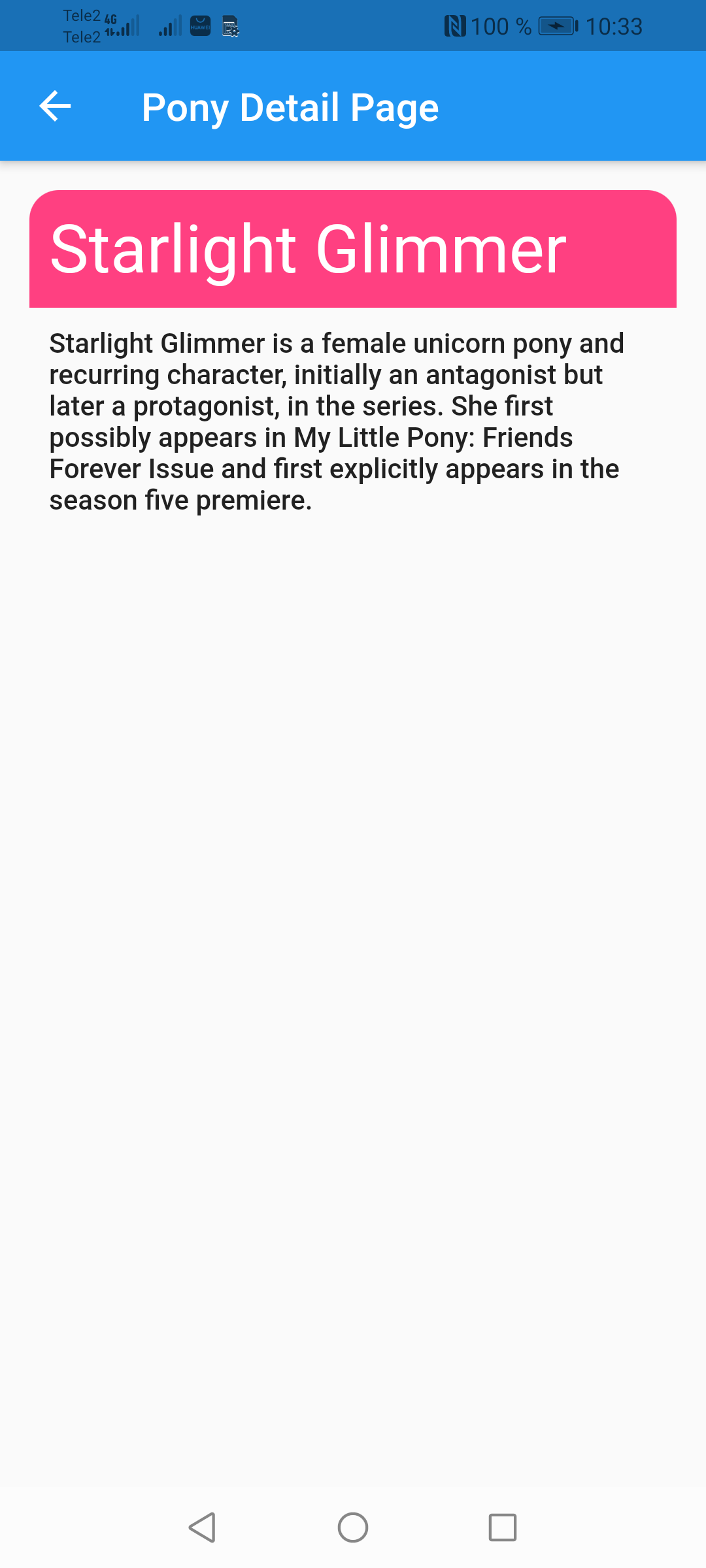
! , Back .
:
// NavigatorState
// (PonyDetailPage)
// ,
Navigator.pop(context, result)
. .
BottomNavigationBar.
BottomNavigationBar Navigator'
100% , , :

( , , ).
- .
models, tab.dart
:
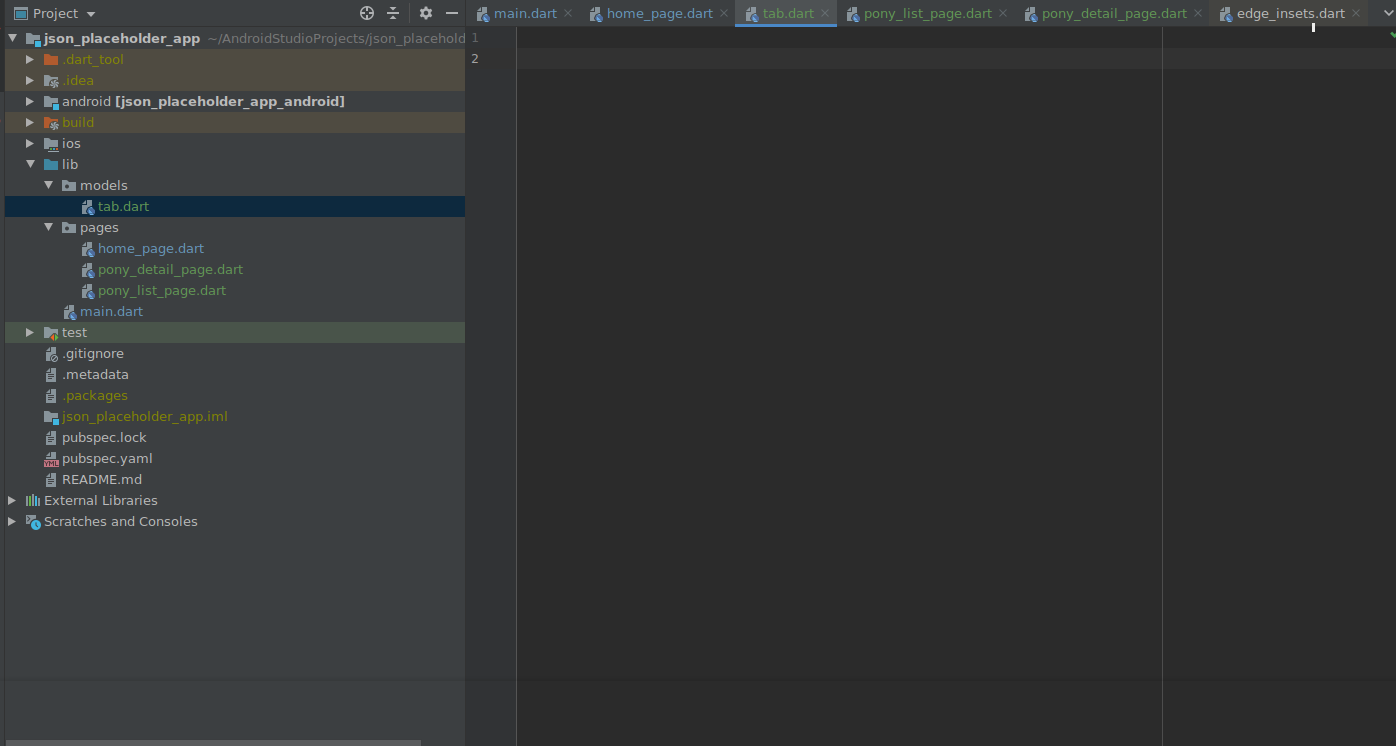
Tab
TabItem
:
import 'package:flutter/material.dart';
//
//
class MyTab {
final String name;
final MaterialColor color;
final IconData icon;
const MyTab({this.name, this.color, this.icon});
}
//
//
// :
// ,
enum TabItem { POSTS, ALBUMS, TODOS }
, :
import 'package:flutter/material.dart';
import "../models/tab.dart";
//
class HomePage extends StatefulWidget {
@override
_HomePageState createState() => _HomePageState();
}
class _HomePageState extends State<HomePage> {
// GlobalKey ,
//
// ,
// NavigatorState - Navigator
final _navigatorKeys = {
TabItem.POSTS: GlobalKey<NavigatorState>(),
TabItem.ALBUMS: GlobalKey<NavigatorState>(),
TabItem.TODOS: GlobalKey<NavigatorState>(),
};
//
var _currentTab = TabItem.POSTS;
//
void _selectTab(TabItem tabItem) {
setState(() => _currentTab = tabItem);
}
@override
Widget build(BuildContext context) {
// WillPopScope
// Back
return WillPopScope(
// back
// :
// ()
// Back,
//
// : c , ,
//
onWillPop: () async {
if (_currentTab != TabItem.POSTS) {
if (_currentTab == TabItem.TODOS) {
_selectTab(TabItem.ALBUMS);
} else {
_selectTab(TabItem.POSTS);
}
return false;
} else {
return true;
}
},
child: Scaffold(
// Stack
// ,
// ,
body: Stack(children: <Widget>[
_buildOffstageNavigator(TabItem.POSTS),
_buildOffstageNavigator(TabItem.ALBUMS),
_buildOffstageNavigator(TabItem.TODOS),
]),
// MyBottomNavigation
bottomNavigationBar: MyBottomNavigation(
currentTab: _currentTab,
onSelectTab: _selectTab,
),
),);
}
// - ,
Widget _buildOffstageNavigator(TabItem tabItem) {
return Offstage(
// Offstage :
//
// ,
offstage: _currentTab != tabItem,
// TabNavigator
child: TabNavigator(
navigatorKey: _navigatorKeys[tabItem],
tabItem: tabItem,
),
);
}
}
, Navigator , , .
Offstage
, .
back - WillPopScope
.
bottom_navigation.dart
:
import 'package:flutter/material.dart';
import '../models/tab.dart';
//
// const , tabs
//
// ,
// ,
const Map<TabItem, MyTab> tabs = {
TabItem.POSTS : const MyTab(name: "Posts", color: Colors.red, icon: Icons.layers),
TabItem.ALBUMS : const MyTab(name: "Albums", color: Colors.blue, icon: Icons.image),
TabItem.TODOS : const MyTab(name: "Todos", color: Colors.green, icon: Icons.edit)
};
class MyBottomNavigation extends StatelessWidget {
// MyBottomNavigation onSelectTab
//
MyBottomNavigation({this.currentTab, this.onSelectTab});
final TabItem currentTab;
// ValueChanged<TabItem> - ,
// onSelectTab ,
// TabItem
final ValueChanged<TabItem> onSelectTab;
@override
Widget build(BuildContext context) {
// BottomNavigationBar
//
return BottomNavigationBar(
selectedItemColor: _colorTabMatching(currentTab),
selectedFontSize: 13,
unselectedItemColor: Colors.grey,
type: BottomNavigationBarType.fixed,
currentIndex: currentTab.index,
//
items: [
_buildItem(TabItem.POSTS),
_buildItem(TabItem.ALBUMS),
_buildItem(TabItem.TODOS),
],
//
// onSelectTab,
//
onTap: (index) => onSelectTab(
TabItem.values[index]
)
);
}
//
BottomNavigationBarItem _buildItem(TabItem item) {
return BottomNavigationBarItem(
//
icon: Icon(
_iconTabMatching(item),
color: _colorTabMatching(item),
),
//
label: tabs[item].name,
);
}
//
IconData _iconTabMatching(TabItem item) => tabs[item].icon;
//
Color _colorTabMatching(TabItem item) {
return currentTab == item ? tabs[item].color : Colors.grey;
}
}
TabNavigator (tab_navigator.dart)
:
import 'package:flutter/material.dart';
import '../models/tab.dart';
import 'pony_list_page.dart';
class TabNavigator extends StatelessWidget {
// TabNavigator :
// navigatorKey - NavigatorState
// tabItem -
TabNavigator({this.navigatorKey, this.tabItem});
final GlobalKey<NavigatorState> navigatorKey;
final TabItem tabItem;
@override
Widget build(BuildContext context) {
// -
// navigatorKey
// , Navigator'
// navigatorKey, ,
//
// Navigator'a, !
return Navigator(
key: navigatorKey,
// Navigator initialRoute,
//
// .
// , ,
// initialRoute /
// initialRoute: "/",
// Navigator
// onGenerateRoute
onGenerateRoute: (routeSettings) {
//
Widget currentPage;
if (tabItem == TabItem.POSTS) {
// PonyListPage
currentPage = PonyListPage();
} else if (tabItem == TabItem.POSTS) {
currentPage = PonyListPage();
} else {
currentPage = PonyListPage();
}
// Route ( )
return MaterialPageRoute(builder: (context) => currentPage,);
},
);
}
}
main.dart
:
return MaterialApp(
//...
//
home: HomePage(),
);
home_page.dart
:

C'est aussi une bonne pratique d'organiser le code correctement, donc dans le dossier pages, créez un nouveau dossier home et faites-y glisser nos deux fichiers :

Et enfin, créons trois pages de talon : PostListPage, AlbumListPage et TodoListPage :
import 'package:flutter/cupertino.dart';
import 'package:flutter/material.dart';
//
class PostListPage extends StatefulWidget {
@override
_PostListPageState createState() => _PostListPageState();
}
class _PostListPageState extends State<PostListPage> {
@override
Widget build(BuildContext context) {
return Scaffold(
appBar: AppBar(
title: Text("Post List Page"),
),
body: Container()
);
}
}
La même structure est pour les deux autres.
Après cela, nous les indiquerons dans TabNavigator'e
:
onGenerateRoute: (routeSettings) {
//
Widget currentPage;
if (tabItem == TabItem.POSTS) {
//
currentPage = PostListPage();
} else if (tabItem == TabItem.ALBUMS) {
currentPage = AlbumListPage();
} else {
currentPage = TodoListPage();
}
// Route ( )
return MaterialPageRoute(builder: (context) => currentPage);
},
Conclusion
Toutes nos félicitations!
Je suis sincèrement heureux et reconnaissant pour vos bonnes critiques et votre soutien!
Liens utiles:
À bientôt!