La première chose que voit l'utilisateur est l'interface utilisateur de l'application. Et dans le développement mobile, la plupart des défis sont liés à sa construction, et le développeur passe la plupart du temps sur la mise en page du cheesecake et la logique de la couche de présentation. Il existe de nombreuses approches pour résoudre ces problèmes dans le monde. Une partie de ce que nous allons couvrir est probablement déjà utilisée dans l'industrie. Mais nous avons essayé d'en rassembler quelques-uns et nous sommes sûrs que cela vous sera utile.
Au début du projet, nous voulions arriver à un tel processus de développement de fonctionnalités afin d'apporter le moins de modifications possible au code tout en répondant au maximum aux souhaits des concepteurs, ainsi que d'avoir à portée de main une large gamme d'outils et d'abstractions pour faire face au passe-partout.
Cet article sera utile pour ceux qui souhaitent passer moins de temps sur les processus de mise en page de routine et la logique répétitive pour le traitement des états d'écran.
Style d'interface utilisateur déclarative
Afficher les modificateurs aka décorateur
En commençant le développement, nous avons décidé d'organiser la construction des composants de l'interface utilisateur de manière aussi flexible que possible avec la possibilité d'assembler quelque chose à partir de pièces prêtes à l'emploi directement sur place.
Pour ce faire, nous avons décidé d'utiliser des décorateurs: ils correspondent à notre idée de simplicité et de réutilisabilité du code.
Les décorateurs sont une structure de fermeture qui étend la fonctionnalité de la vue sans avoir besoin d'héritage.
public struct ViewDecorator<View: UIView> {
let decoration: (View) -> Void
func decorate(_ view: View) {
decoration(view)
}
}
public protocol DecoratableView: UIView {}
extension DecoratableView {
public init(decorator: ViewDecorator<Self>) {
self.init(frame: .zero)
decorate(with: decorator)
}
@discardableResult
public func decorated(with decorator: ViewDecorator<Self>) -> Self {
decorate(with: decorator)
return self
}
public func decorate(with decorator: ViewDecorator<Self>) {
decorator.decorate(self)
currentDecorators.append(decorator)
}
public func redecorate() {
currentDecorators.forEach {
$0.decorate(self)
}
}
}
Pourquoi nous n'avons pas utilisé de sous-classes:
Ils sont difficiles à enchaîner;
Il n'y a aucun moyen de supprimer la fonctionnalité de la classe parent;
Doit être décrit séparément du contexte d'utilisation (dans un fichier séparé)
UI .
.
static var headline2: ViewDecorator<View> {
ViewDecorator<View> {
$0.decorated(with: .font(.f2))
$0.decorated(with: .textColor(.c1))
}
}
, .
private let titleLabel = UILabel()
.decorated(with: .headline2)
.decorated(with: .multiline)
.decorated(with: .alignment(.center))
, , .
.
:
private let fancyLabel = UILabel(
decorator: .text("?? ???? ???"))
.decorated(with: .cellTitle)
.decorated(with: .alignment(.center))
:
private let fancyLabel: UILabel = {
let label = UILabel()
label.text = "???? ? ????"
label.numberOfLines = 0
label.font = .f4
label.textColor = .c1
label.textAlignment = .center
return label
}()
— 9 4. .
navigation bar , :
navigationController.navigationBar .decorated(with: .titleColor(.purple)) .decorated(with: .transparent)
:
static func titleColor(_ color: UIColor) -> ViewDecorator<UINavigationBar> {
ViewDecorator<UINavigationBar> {
let titleTextAttributes: [NSAttributedString.Key: Any] = [
.font: UIFont.f3,
.foregroundColor: color
]
let largeTitleTextAttributes: [NSAttributedString.Key: Any] = [
.font: UIFont.f1,
.foregroundColor: color
]
if #available(iOS 13, *) {
$0.modifyAppearance {
$0.titleTextAttributes = titleTextAttributes
$0.largeTitleTextAttributes = largeTitleTextAttributes
}
} else {
$0.titleTextAttributes = titleTextAttributes
$0.largeTitleTextAttributes = largeTitleTextAttributes
}
}
}
static var transparent: ViewDecorator<UINavigationBar> {
ViewDecorator<UINavigationBar> {
if #available(iOS 13, *) {
$0.isTranslucent = true
$0.modifyAppearance {
$0.configureWithTransparentBackground()
$0.backgroundColor = .clear
$0.backgroundImage = UIImage()
}
} else {
$0.setBackgroundImage(UIImage(), for: .default)
$0.shadowImage = UIImage()
$0.isTranslucent = true
$0.backgroundColor = .clear
}
}
}
:
navigation bar
override var navigationBarDecorators: [ViewDecorator<UINavigationBar>] {
[.withoutBottomLine, .fillColor(.c0), .titleColor(.c1)]
}
: , .
- : , .
HStack, VStack
, , , , . , .
, iOS . , .
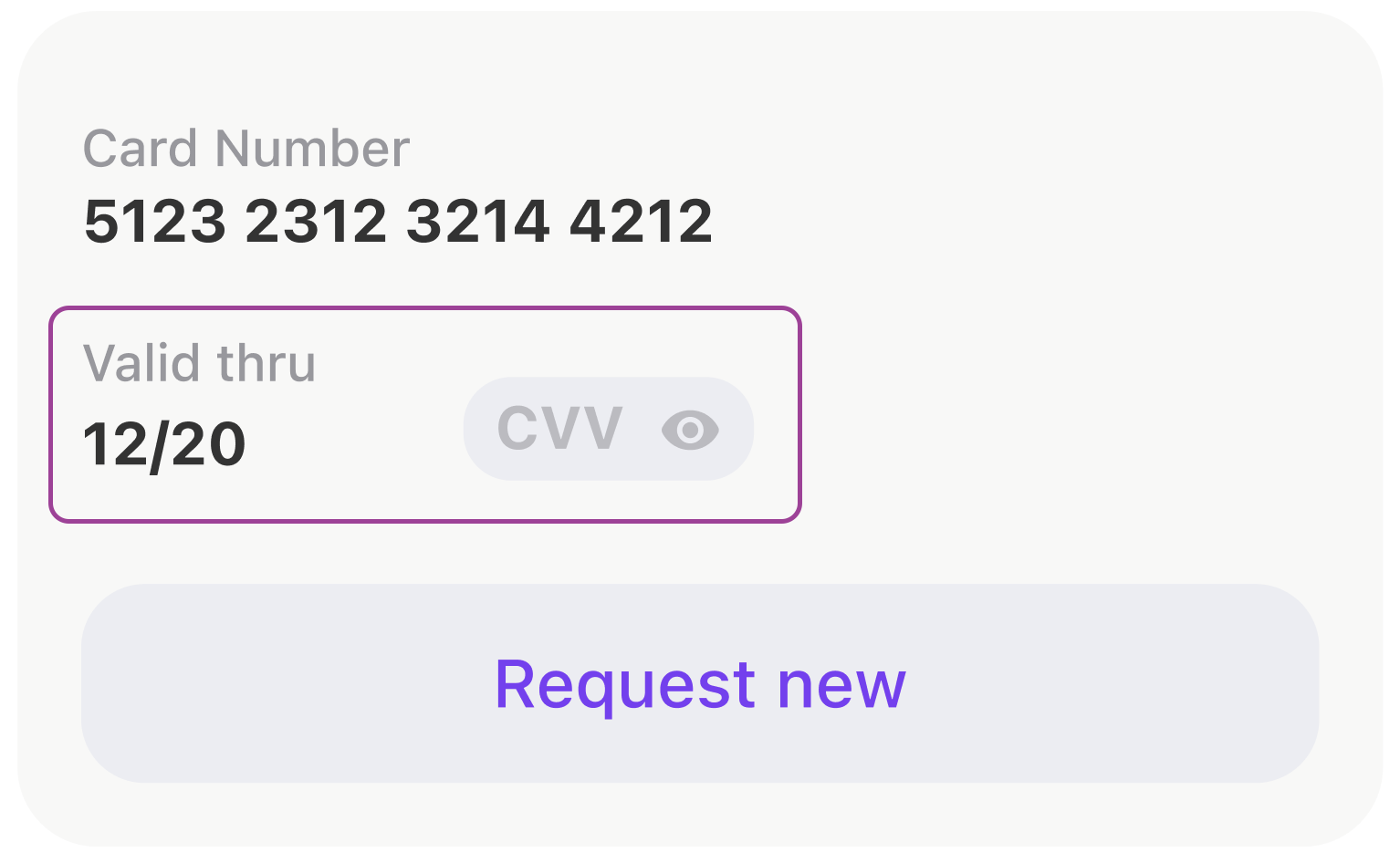
, .
- anchors.
[expireDateTitleLabel, expireDateLabel, cvcCodeView].forEach {
view.addSubview($0)
$0.translatesAutoresizingMaskIntoConstraints = false
}
NSLayoutConstraint.activate([
expireDateTitleLabel.topAnchor.constraint(equalTo: view.topAnchor),
expireDateTitleLabel.leftAnchor.constraint(equalTo: view.leftAnchor),
expireDateLabel.topAnchor.constraint(equalTo: expireDateTitleLabel.bottomAnchor, constant: 2),
expireDateLabel.leftAnchor.constraint(equalTo: view.leftAnchor),
expireDateLabel.bottomAnchor.constraint(equalTo: view.bottomAnchor),
cvcCodeView.leftAnchor.constraint(equalTo: expireDateTitleLabel.rightAnchor, constant: 44),
cvcCodeView.bottomAnchor.constraint(equalTo: view.bottomAnchor),
cvcCodeView.rightAnchor.constraint(equalTo: view.rightAnchor)
])
, UIStackView .
let stackView = UIStackView()
stackView.alignment = .bottom
stackView.axis = .horizontal
stackView.layoutMargins = .init(top: 0, left: 16, bottom: 0, right: 16)
stackView.isLayoutMarginsRelativeArrangement = true
let expiryDateStack: UIStackView = {
let stackView = UIStackView(
arrangedSubviews: [expireDateTitleLabel, expireDateLabel]
)
stackView.setCustomSpacing(2, after: expireDateTitleLabel)
stackView.axis = .vertical
stackView.layoutMargins = .init(top: 8, left: 0, bottom: 0, right: 0)
stackView.isLayoutMarginsRelativeArrangement = true
return stackView
}()
let gapView = UIView()
gapView.setContentCompressionResistancePriority(.defaultLow, for: .horizontal)
gapView.setContentHuggingPriority(.defaultLow, for: .horizontal)
stackView.addArrangedSubview(expiryDateStack)
stackView.addArrangedSubview(gapView)
stackView.addArrangedSubview(cvcCodeView)
, . . , WWDC SwiftUI. , Apple ! , , .
view.layoutUsing.stack {
$0.hStack(
alignedTo: .bottom,
$0.vStack(
expireDateTitleLabel,
$0.vGap(fixed: 2),
expireDateLabel
),
$0.hGap(fixed: 44),
cvcCodeView,
$0.hGap()
)
}
, SwiftUI
var body: some View {
HStack(alignment: .bottom) {
VStack {
expireDateTitleLabel
Spacer().frame(width: 0, height: 2)
expireDateLabel
}
Spacer().frame(width: 44, height: 0)
cvcCodeView
Spacer()
}
}
iOS- UITableView UICollectionView. , . , . : , . .
, . .
private let listAdapter = VerticalListAdapter<CommonCollectionViewCell>()
private let collectionView = UICollectionView(
frame: .zero,
collectionViewLayout: UICollectionViewFlowLayout()
)
.
func setupCollection() {
listAdapter.heightMode = .fixed(height: 8)
listAdapter.setup(collectionView: collectionView)
listAdapter.spacing = Constants.pocketSpacing
listAdapter.onSelectItem = output.didSelectPocket
}
. .
listAdapter.reload(items: viewModel.items)
, .
:
(UITableView -> UICollectionView).
,
,
, : , , , .
.
Shimmering Views
. (shimmering views).
- , UI .
, view, , .

, , .
SkeletonView, :
func makeStripAnimation() -> CAKeyframeAnimation {
let animation = CAKeyframeAnimation(keyPath: "locations")
animation.values = [
Constants.stripGradientStartLocations,
Constants.stripGradientEndLocations
]
animation.repeatCount = .infinity
animation.isRemovedOnCompletion = false
stripAnimationSettings.apply(to: animation)
return animation
}
:
protocol SkeletonDisplayable {...}
protocol SkeletonAvailableScreenTrait: UIViewController, SkeletonDisplayable {...}
extension SkeletonAvailableScreenTrait {
func showSkeleton(animated: Bool = false) {
addAnimationIfNeeded(isAnimated: animated)
skeletonViewController.view.isHidden = false
skeletonViewController.setLoading(true)
}
func hideSkeleton(animated: Bool = false) {
addAnimationIfNeeded(isAnimated: animated)
skeletonViewController.view.isHidden = true
skeletonViewController.setLoading(false)
}
}
, . :
setupSkeleton()
Smart skeletons
, , . , . .
- UI : , , , -:
public protocol SkeletonDrivenLoadableView: UIView {
associatedtype LoadableSubviewID: CaseIterable
typealias SkeletonBone = (view: SkeletonBoneView, excludedPinEdges: [UIRectEdge])
func loadableSubview(for subviewId: LoadableSubviewID) -> UIView
func skeletonBone(for subviewId: LoadableSubviewID) -> SkeletonBone
}
, , .
extension ActionButton: SkeletonDrivenLoadableView {
public enum LoadableSubviewID: CaseIterable {
case icon
case title
}
public func loadableSubview(for subviewId: LoadableSubviewID) -> UIView {
switch subviewId {
case .icon:
return solidView
case .title:
return titleLabel
}
}
public func skeletonBone(for subviewId: LoadableSubviewID) -> SkeletonBone {
switch subviewId {
case .icon:
return (ActionButton.iconBoneView, excludedPinEdges: [])
case .title:
return (ActionButton.titleBoneView, excludedPinEdges: [])
}
}
}
UI :
actionButton.setLoading(isLoading, shimmering: [.icon])
// or
actionButton.setLoading(isLoading, shimmering: [.icon, .title])
// which is equal to
actionButton.setLoading(isLoading)
, , , , .
, , . , .
, , , .

:
final class ScreenStateMachine: StateMachine<ScreenState, ScreenEvent> {
public init() {
super.init(state: .initial,
transitions: [
.loadingStarted: [.initial => .loading, .error => .loading],
.errorReceived: [.loading => .error],
.contentReceived: [.loading => .content, .initial => .content]
])
}
}
.
class StateMachine<State: Equatable, Event: Hashable> {
public private(set) var state: State {
didSet {
onChangeState?(state)
}
}
private let initialState: State
private let transitions: [Event: [Transition]]
private var onChangeState: ((State) -> Void)?
public func subscribe(onChangeState: @escaping (State) -> Void) {
self.onChangeState = onChangeState
self.onChangeState?(state)
}
@discardableResult
open func processEvent(_ event: Event) -> State {
guard let destination = transitions[event]?.first(where: { $0.source == state })?.destination else {
return state
}
state = destination
return state
}
public func reset() {
state = initialState
}
}
, .
func reloadTariffs() {
screenStateMachine.processEvent(.loadingStarted)
interactor.obtainTariffs()
}
, - .
protocol ScreenInput: ErrorDisplayable,
LoadableView,
SkeletonDisplayable,
PlaceholderDisplayable,
ContentDisplayable
, :
state machine :
final class DogStateMachine: StateMachine<ConfirmByCodeResendingState, ConfirmByCodeResendingEvent> {
init() {
super.init(
state: .laying,
transitions: [
.walkCommand: [
.laying => .walking,
.eating => .walking,
],
.seatCommand: [.walking => .sitting],
.bunnyCommand: [
.laying => .sitting,
.sitting => .sittingInBunnyPose
]
]
)
}
}
, ? .
public extension ScreenStateMachineTrait {
func setupScreenStateMachine() {
screenStateMachine.subscribe { [weak self] state in
guard let self = self else { return }
switch state {
case .initial:
self.initialStateDisplayableView?.setupInitialState()
self.skeletonDisplayableView?.hideSkeleton(animated: false)
self.placeholderDisplayableView?.setPlaceholderVisible(false)
self.contentDisplayableView?.setContentVisible(false)
case .loading:
self.skeletonDisplayableView?.showSkeleton(animated: true)
self.placeholderDisplayableView?.setPlaceholderVisible(false)
self.contentDisplayableView?.setContentVisible(false)
case .error:
self.skeletonDisplayableView?.hideSkeleton(animated: true)
self.placeholderDisplayableView?.setPlaceholderVisible(true)
self.contentDisplayableView?.setContentVisible(false)
case .content:
self.skeletonDisplayableView?.hideSkeleton(animated: true)
self.placeholderDisplayableView?.setPlaceholderVisible(false)
self.contentDisplayableView?.setContentVisible(true)
}
}
}
private var skeletonDisplayableView: SkeletonDisplayable? {
view as? SkeletonDisplayable
}
// etc.
}
.
.
, , , .
.
.
struct ErrorViewModel {
let title: String
let message: String?
let presentationStyle: PresentationStyle
}
enum PresentationStyle {
case alert
case banner(
interval: TimeInterval = 3.0,
fillColor: UIColor? = nil,
onHide: (() -> Void)? = nil
)
case placeholder(retryable: Bool = true)
case silent
}
ErrorDisplayable:
public protocol ErrorDisplayable: AnyObject {
func showError(_ viewModel: ErrorViewModel)
}
public protocol ErrorDisplayableViewTrait: UIViewController, ErrorDisplayable, AlertViewTrait {}
.
public extension ErrorDisplayableViewTrait {
func showError(_ viewModel: ErrorViewModel) {
switch viewModel.presentationStyle {
case .alert:
// show alert
case let .banner(interval, fillColor, onHide):
// show banner
case let .placeholder(retryable):
// show placeholder
case .silent:
return
}
}
}
, . , . , .
extension APIError: ErrorViewModelConvertible {
public func viewModel(_ presentationStyle: ErrorViewModel.PresentationStyle) -> ErrorViewModel {
.init(
title: Localisation.network_error_title,
message: message,
presentationStyle: presentationStyle
)
}
}
extension CommonError: ErrorViewModelConvertible {
public func viewModel(_ presentationStyle: ErrorViewModel.PresentationStyle) -> ErrorViewModel {
.init(
title: title,
message: message,
presentationStyle: isSilent ? .silent : presentationStyle
)
}
}
, , .
- 196,8934010152
- 138,2207792208
- 1
- 1
UI . , , .
, UI , , .
, -.
. . .
, . , , !